I use AI to write. You probably do too. And at some point we both looked at the output and thought: this is fine, but it doesn’t sound like me.
Not wrong. Not embarrassing. Just… weirdly smooth. Every sentence in its right place. Every paragraph landing a clean takeaway. Nothing messy, nothing half-formed, nothing that sounds like a real person working through an idea out loud. It reads like a very confident stranger wrote it. Which is basically what happened.
A developer named blader got fed up with this and built Humanizer — a free Claude Code skill that goes through AI text and strips out the tells. It hit 16,800+ GitHub stars in the first few weeks. Apparently a lot of people had the same problem.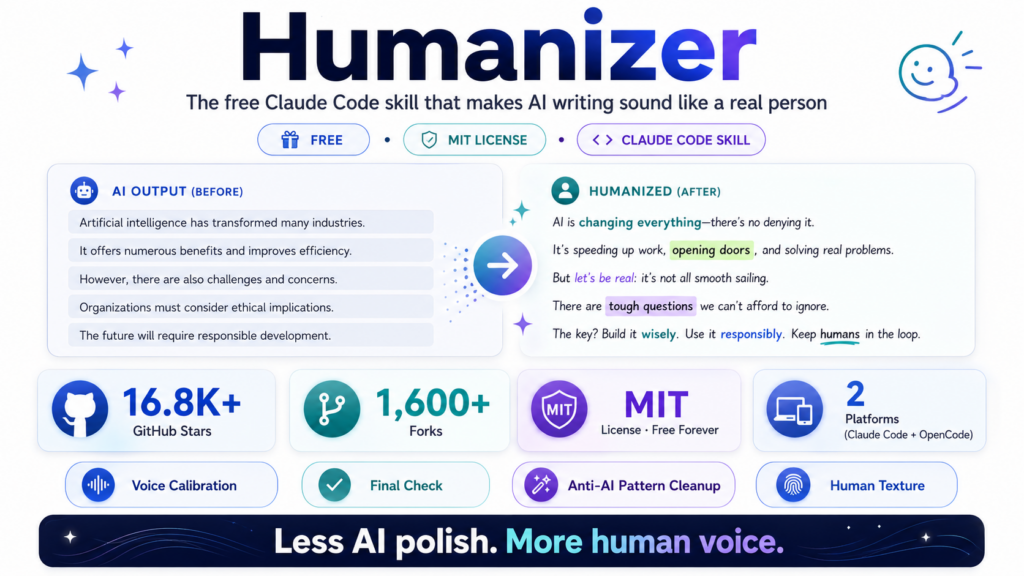
Humanizer — At a Glance
Why AI Writing Sounds Like AI Writing
Humanizer is built on a Wikipedia guide called “Signs of AI Writing,” maintained by a group called WikiProject AI Cleanup. These are people who actually catalogued what AI text looks like at a pattern level. The thing they found, which I keep coming back to:
“LLMs use statistical algorithms to guess what comes next. The result tends toward the most statistically likely result that applies to the widest variety of cases.”
— Wikipedia: Signs of AI Writing, WikiProject AI Cleanup
AI is averaging. Every word it picks is the statistically safest option for the widest possible audience. Which is why it’s never offensive, never weird, never wrong in any obvious way. It’s also why it sounds like nobody in particular. Optimized for everyone is, in practice, memorable to no one.
Real writing has friction. Opinions that maybe go a little too far. Sentences that run longer than they should. A person behind it who clearly found something more interesting than the rest. That’s what Humanizer is trying to put back.
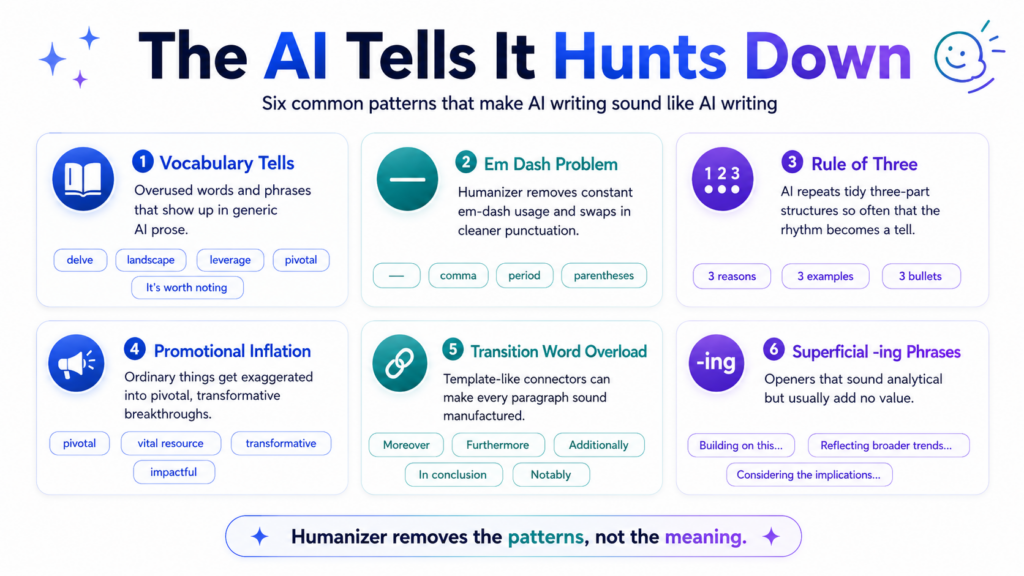
The AI Tells It Hunts Down
Once you know what to look for, you start seeing it everywhere. Including in things you wrote yourself ten minutes ago. Here’s what the skill hunts:
The Vocabulary Tells
Words AI reaches for constantly: delve, landscape, leverage, tapestry, vibrant, nestled, pivotal, crucial, underscores, highlights. Also: “It’s worth noting,” “It’s important to recognize,” “stands as a testament to.” These phrases appear so often in AI output they’ve become signature patterns. The skill strips them and replaces with natural alternatives — or nothing at all.
The Em Dash Problem
AI loves the em dash — and uses it constantly — in ways that feel slightly off. The skill enforces an absolute ban on em dashes and replaces them with commas, parentheses, or periods depending on context. This one change alone dramatically reduces the AI feel of a sentence.
The Rule of Three
AI structures almost everything in threes. Three bullet points. Three supporting reasons. Three examples. This isn’t wrong — the rule of three works in rhetoric — but when every single paragraph does it, the pattern becomes its own tell. The skill breaks the regularity.
Promotional Inflation
AI upgrades ordinary things into extraordinary ones. A product update becomes “a pivotal moment.” A developer tool becomes “a vital resource for the modern engineer.” Everything is significant, impactful, and transformative. The skill deflates this promotional language back to honest description.
Transition Word Overload
Moreover. Furthermore. Additionally. In conclusion. Notably. These transition words signal “organized writing” to AI — and they’re accurate in small doses. When every paragraph starts with one, the text sounds like a template. The skill removes the redundant connectors and lets sentences stand on their own.
Superficial -ing Phrases
“Building on this foundation…” “Reflecting broader trends…” “Considering the implications…” These participial openers feel analytical but are usually empty — they describe what the next sentence does without adding anything. The skill identifies and removes them.
The Missing Ingredient: Opinion
Beyond removing bad patterns, the skill also adds something back — human texture. That means opinions, reactions, and specificity. “I genuinely don’t know how to feel about this” is more human than a neutral pros-and-cons list. “There’s something unsettling about agents working at 3am while nobody’s watching” is more human than “This raises concerns about oversight.” The skill prompts for this kind of voice.
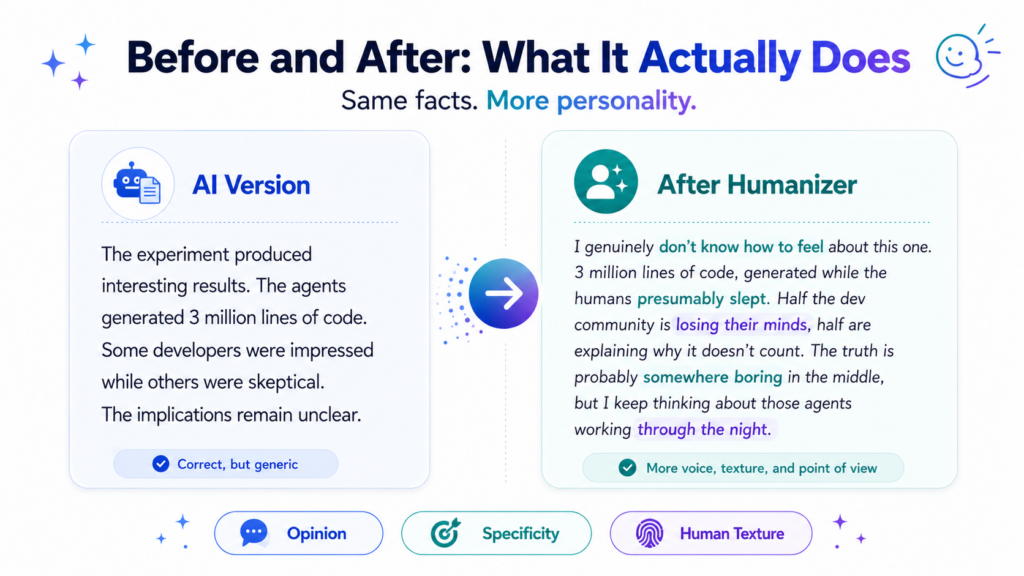
 Before and After: What It Actually Does
 Before and After: What It Actually Does
The SKILL.md uses this example and honestly it’s the clearest way to show what’s happening:
❌ AI Version
The experiment produced interesting results. The agents generated 3 million lines of code. Some developers were impressed while others were skeptical. The implications remain unclear.
✅ After Humanizer
I genuinely don’t know how to feel about this one. 3 million lines of code, generated while the humans presumably slept. Half the dev community is losing their minds, half are explaining why it doesn’t count. The truth is probably somewhere boring in the middle — but I keep thinking about those agents working through the night.
The facts are identical. What changed is that the second version has a person in it. Someone who doesn’t know quite how to feel about something, which is the most honest possible response to 3 million lines of AI-generated code. I’d read that. I wouldn’t finish the first one.
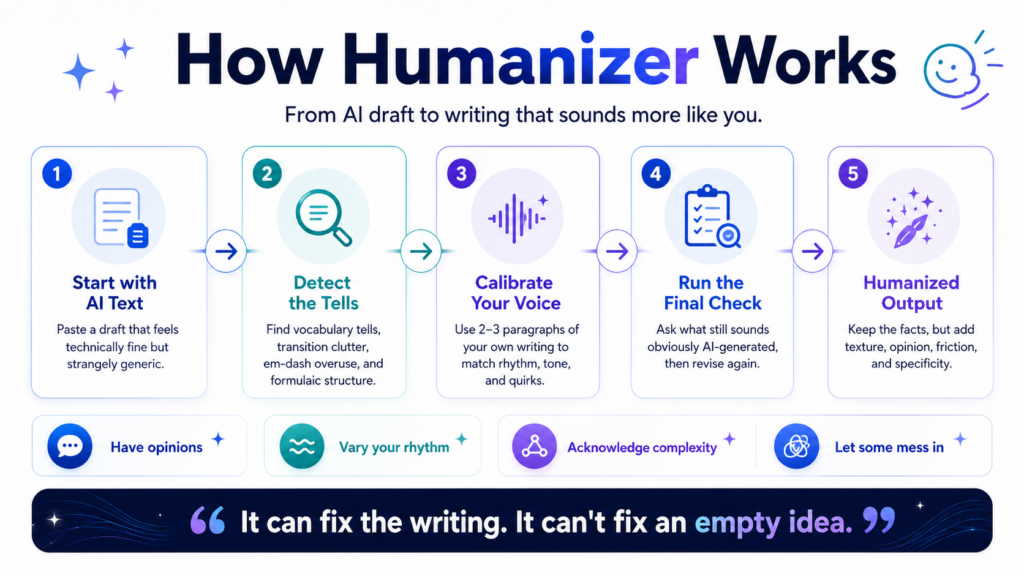
How to Install and Use It (Full Guide)
Prerequisites
You need Claude Code or OpenCode installed and running. That’s it — Humanizer is a skill file, not a separate app. If you have either tool, you’re 2 minutes from being set up.
Install for Claude Code
Run these two commands in your terminal. The first creates the skills folder if it doesn’t exist; the second clones Humanizer into it:
mkdir -p ~/.claude/skills
git clone https://github.com/blader/humanizer.git ~/.claude/skills/humanizer
That’s it. Claude Code picks up skills from this folder automatically — no restart required.
Install for OpenCode
OpenCode also scans ~/.claude/skills/ for compatibility — so if you did Step 1, you’re already done for OpenCode too. If you want a separate install:
mkdir -p ~/.config/opencode/skills
git clone https://github.com/blader/humanizer.git ~/.config/opencode/skills/humanizer
Basic usage — paste and go
In Claude Code or OpenCode, type the slash command and paste your text:
/humanizer
[paste your AI-generated text here]
Or just ask naturally: Please humanize this text: [your text]
Voice Calibration — The Feature Most People Skip
This is where the skill goes from “generic cleanup” to “sounds like you.” Feed it 2–3 paragraphs of your own writing before the AI text, and it analyzes your sentence rhythm, vocabulary, and quirks — then applies those patterns to the rewrite instead of producing neutral output.
/humanizer
Here’s a sample of my writing for voice matching:
[2-3 paragraphs of your own writing]
Now humanize this text:
[the AI text you want rewritten]
For blog writers, content creators, and anyone with an established voice: always use this mode. The baseline version will clean the text; the voice-matched version will make it actually sound like you.
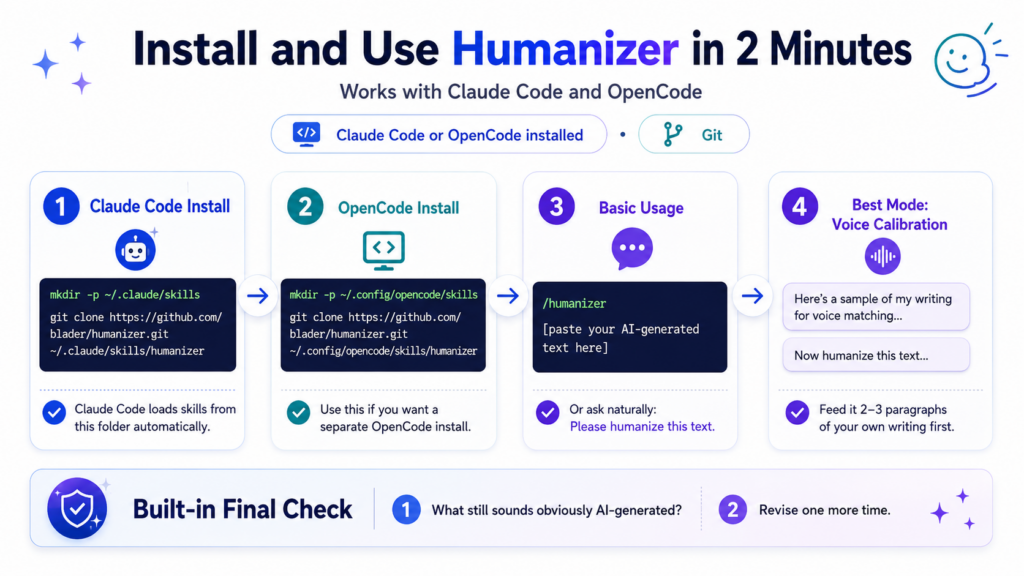
The Built-In “Final Check” — The Best Part of the Skill
 The Built-In “Final Check” — The Best Part of the Skill
After each rewrite, the skill runs a final anti-AI pass using a specific self-check prompt baked into SKILL.md:
Step 1: “What makes the below so obviously AI-generated?” — Claude answers briefly with remaining tells.
Step 2: “Now make it not obviously AI-generated.” — It revises one more time with those specific remaining patterns in mind.
This two-step self-check is genuinely clever. It forces the model to look at its own output as a reader would — not as a writer — and identify what’s still off. Most AI writing cleanup tools skip this entirely.
It Doesn’t Just Remove Things — It Adds the Human Stuff Back
 It Doesn’t Just Remove Things — It Adds the Human Stuff Back
Here’s the thing though. Strip all the AI patterns out and you get text that’s clean but lifeless. Technically fixed, genuinely boring. The SKILL.md calls what’s missing “human texture” and I think that’s exactly right. It’s not just about removing the bad stuff. It’s about adding back whatever got averaged away. The guidance in the skill is worth reading even if you never install it:
Have opinions. Don’t just report facts — react to them. “I genuinely don’t know how to feel about this” beats neutral pro/con structure.
Vary your rhythm. Short punchy sentences. Then longer ones that take their time getting where they’re going. Never let the pace become metronomic.
Acknowledge complexity. “This is impressive but also kind of unsettling” is human. “This is impressive” is AI.
Be specific about feelings. Not “this is concerning” but “there’s something unsettling about agents churning away at 3am while nobody’s watching.”
Let some mess in. Perfect structure is algorithmic. Tangents and half-formed thoughts are human.
Who Gets the Most Out of This
✍️ Bloggers and Content Creators
If you’re using AI to draft blog posts, newsletters, or social content and want the output to actually sound like you — especially with voice calibration — this is the most practical free tool available for that job.
💼 Professionals Writing External-Facing Content
Emails, LinkedIn posts, client proposals, leadership comms — all of these suffer from the “sounds like AI” problem when drafted with assistance. The skill’s voice calibration mode is especially valuable here.
🎓 Students and Academic Writers
A fork of this skill specifically for academic medical papers already exists (matsuikentaro1/humanizer_academic), built on the same Wikipedia research and adapted for scientific literature conventions.
🛠 Developers Building AI Writing Tools
The SKILL.md is open, readable, and forkable. The academic fork already demonstrates how to adapt it for a specialized domain. If you’re building writing tools, the pattern library inside is a solid starting reference.
⚠️ One Honest Caveat
It can fix the writing. It can’t fix an empty idea. If AI wrote you three paragraphs of technically correct nothing, Humanizer will make that nothing sound more like you specifically. Which is arguably worse. The tool works best when the content underneath is actually worth saying. You still have to bring that part.
Try the Humanizer Skill
Free · MIT License · Works with Claude Code + OpenCode
Written by the MindWiredAI team. All details verified against github.com/blader/humanizer, the official SKILL.md, and the project README. GitHub stats (16,800+ stars, 1,600+ forks) as of May 2026. Humanizer was created by blader and released under the MIT license on April 1, 2026. The before/after example is taken directly from the official SKILL.md. The project draws on Wikipedia’s “Signs of AI Writing” guide, maintained by WikiProject AI Cleanup.


