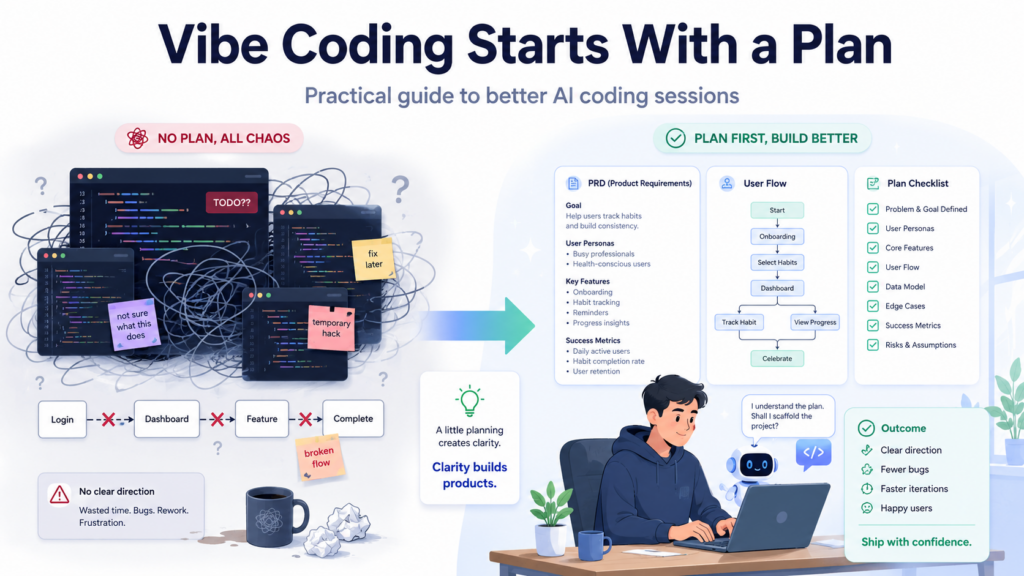
 At some point in every vibe coding session, things go sideways. The app kind of works. The AI is generating code. But something’s off, and you can’t quite explain what. You add a feature. It breaks another one. You fix that, something else shifts. Three hours later you’re staring at a pile of code that technically runs and somehow doesn’t do what you wanted.
Here’s what I’ve noticed: it’s almost never a coding problem. The AI can write code. That part mostly works. What breaks things is showing up without a plan and asking the AI to figure out what you’re building as you go. That’s not vibe coding. That’s chaos with syntax highlighting.
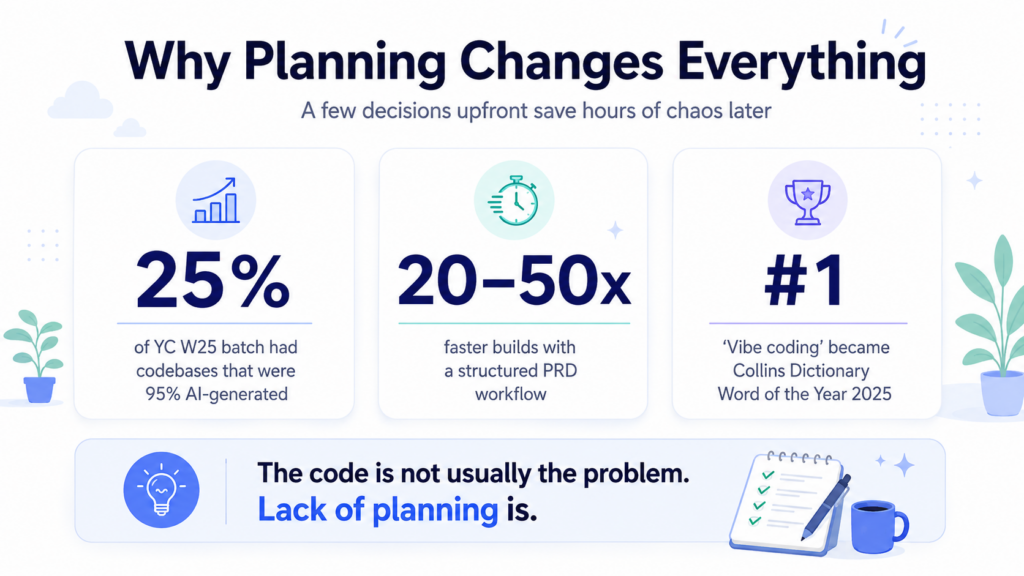
Y Combinator reported that 25% of its Winter 2025 batch had codebases that were 95% AI-generated. Those weren’t people who skipped planning. They were people who got really good at something most vibe coders underestimate: deciding what to build before asking the AI to build it.
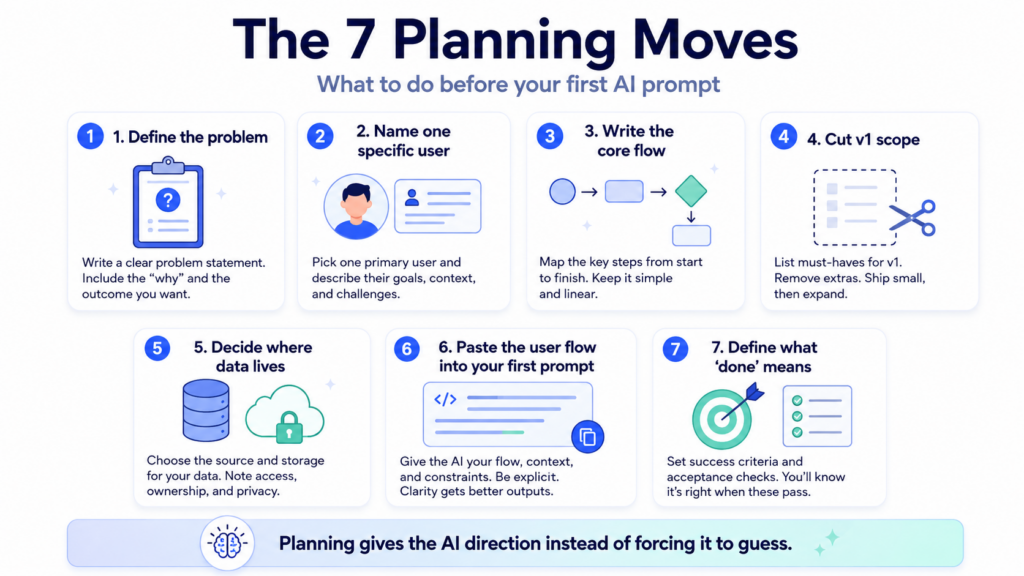
Below are 7 planning moves that actually change the outcome. Not tips. Not principles. Concrete things you do before you type your first prompt, that determine whether the session ends with something working or something that almost works.
Why planning changes everything
 1. Write the problem in one sentence before touching the AI
 1. Write the problem in one sentence before touching the AI
Not what you’re building. What problem you’re solving. Those sound like the same thing and they’re not.
“I want to build a habit tracker” is a product description. “I forget to track things after the first week and I need something that doesn’t require logging in every day” is a problem. The second one actually tells you something. It says: maybe the solution isn’t more features, it’s fewer friction points. That changes what you build.
The reason to write a PRD before prompting isn’t formality. It’s clarity. You’re helping the AI (and yourself) understand what you’re actually trying to build. One sentence is enough. If you can’t write one sentence, you’re not ready to build yet.
Try this before your next session
Skip: “I want to build an expense tracker app.”
Write instead: “I keep forgetting what I spent money on at the end of the month because entering expenses is too slow.”
The second version tells you the app needs fast entry, not more reporting features. That’s a different product.
2. Name one specific person who will use this
Not “users.” Not “people who need X.” One actual person, or the closest approximation you have. Give them a job, a skill level, a context.
This matters because the AI will make constant small decisions while writing your code. What to show when there’s no data. How much to explain in error messages. Whether to include an undo button. It makes those decisions based on whatever context you gave it. “Users” gives it nothing. “A freelance designer who’s comfortable with web apps but has never used a CRM” gives it something to work with.
Vague: “For small business owners who want to track inventory.”
Specific: “For my friend who runs a Etsy shop from her kitchen. She checks stock every morning on her phone. She is not technical.”
The second version tells the AI to make the interface simple, mobile-friendly, and not full of jargon. You didn’t have to say any of that explicitly. The context carries it.
3. Write the one flow that matters most. Just one.
 3. Write the one flow that matters most. Just one.
Every app has a core action. The thing a user comes to do. Everything else is scaffolding around that thing.
Write it out as a short story. User opens app. Sees X. Taps Y. Types Z. Gets the result they came for. That’s it. Don’t branch into edge cases yet. Don’t add “and also they can…” Just the main path, in order, from start to done.
The PRD is basically a detailed guideline for how the app should look and behave. After generating it, you ask the AI to generate a step-by-step actionable plan that will implement the app in phases. That plan needs a spine. Your core flow is the spine.
Core flow example — expense tracker
→
See “Add expense” button
→
Type amount + category
→
Saved. Done.
Everything else — reports, filters, budgets, exports — comes after this works perfectly.
4. Cut the feature list in half. Then cut it again.
 4. Cut the feature list in half. Then cut it again.
I’m not being dramatic. Whatever you wrote down, it’s too much for version one.
The thing that kills most vibe coding projects isn’t technical failure. The “vibe coding hangover” is real. AI-generated code tends to solve the immediate problem but ignore modularity, code organization, and scalability. The more features you add to v1, the more surface area there is for that to compound into something unmanageable.
For each feature you’re thinking about, ask: does this make the core flow work better, or does it make the app feel more complete? Those are different things. An app that does one thing well ships. An app that does ten things adequately doesn’t.
Things that almost always don’t belong in v1
❌ User accounts and login (unless sharing is the core feature)
❌ Settings pages
❌ Export / download functionality
❌ Notifications
❌ Anything described as “and also users can…”
Don’t delete those ideas. Move them to a “v2” list. They might actually matter once you’ve validated that v1 is useful.
5. Decide where your data lives before you build a single screen
This one bites people more than anything else. You build a beautiful interface. The AI generates clean-looking components. Everything renders. Then you realize the data is hardcoded into the frontend and nothing actually saves.
If you forget to give clear instructions about the way you want the data to be managed, most vibe coding tools will build a version of your app where the displayed data is actually hard-coded in the front-end, which gives the impression that the app is functional, but it actually isn’t.
You don’t need to make complicated architectural decisions. You just need to answer three questions before you start:
What information does the app need to store?
List the actual fields. For an expense tracker: amount, category, date, optional note. That’s the data model. Write it down before the first prompt.
Where does it get stored?
Browser only (localStorage), a database (Supabase, Firebase, Airtable), or a Google Sheet. Pick one and tell the AI explicitly. “Use Supabase for storage” is a complete instruction.
Does it need to persist across sessions?
If yes, you need a real database. If it’s a personal tool you’ll only use on one device, localStorage might genuinely be enough for v1.
Tell the AI all three answers at the start of the session. Not halfway through when things are already broken.
6. Write the user flow as a numbered list and paste it into your first prompt
Not a wireframe. Not a flowchart. A numbered list, written the way you’d explain it to someone over the phone.
“1. User opens app and sees a list of past expenses. 2. They tap Add. 3. A form appears with three fields: amount, category (dropdown), date (defaults to today). 4. They submit. 5. They see the new expense at the top of the list.”
That’s your entire first prompt, combined with your problem statement and user description from steps 1 and 2. A clear PRD prevents scope creep and gives the AI explicit direction, rather than forcing it to guess your intentions. The numbered list is your PRD. You just wrote it in 30 seconds.
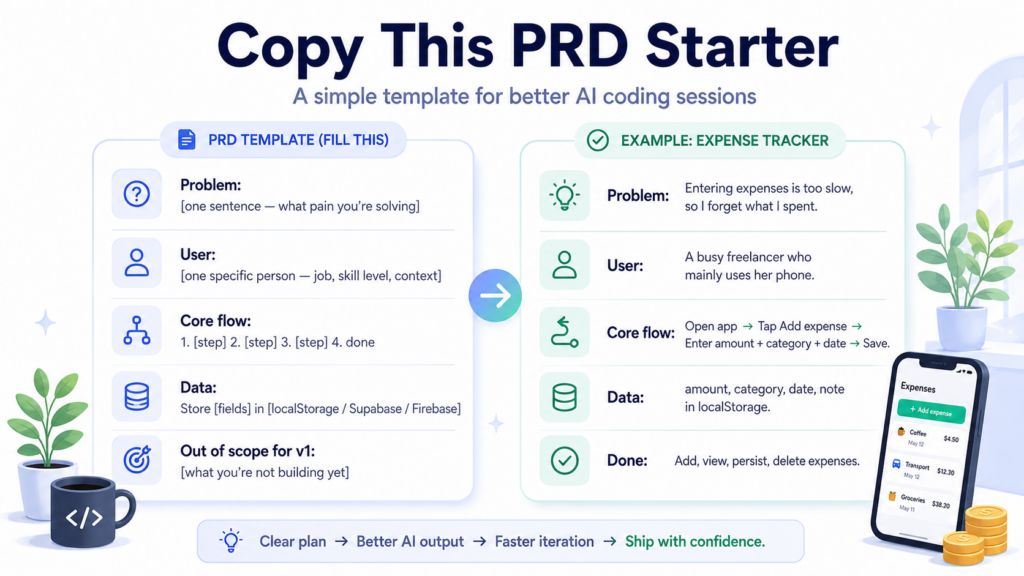
Copy this. Fill it in. Use it as your first prompt.
Problem: [one sentence — what pain you’re solving]
User: [one specific person — job, skill level, context]
Core flow: 1. [step] 2. [step] 3. [step] 4. done
Data: Store [fields] in [location — localStorage / Supabase / Firebase]
Out of scope for v1: [list everything you’re not building yet]
7. Write down exactly what “done” looks like
Without this, you will never finish v1. You’ll keep adding things because “done” feels abstract. Something will always feel missing.
The PRD for vibe coders is just a simple checklist of what “done” looks like. Write it literally. “Done means: I can add an expense. I can see my list of expenses. The data is still there when I close and reopen the tab.” Three sentences. That’s a v1 completion definition.
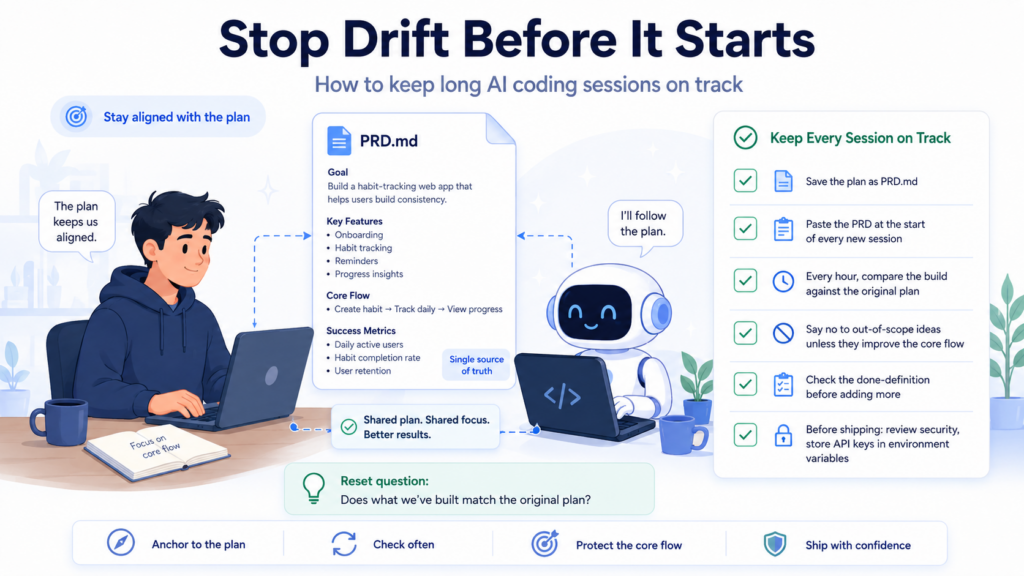
The reason this matters beyond just finishing is that the AI needs it too. When you’re three hours in and the session context is getting long and the AI is starting to drift, you can paste your done-definition and ask: “Does what we have now satisfy these criteria?” That’s your reset button.
Example done-definition (expense tracker v1)
✅ I can add an expense with amount, category, and date
✅ I can see my expenses in a list, newest first
✅ Data persists when I refresh the page
✅ I can delete an expense if I made a mistake
The thing nobody warns you about: drift
Even if you do everything above, long sessions have a specific failure mode. The AI starts forgetting your original plan. You start reacting to what it builds instead of steering toward what you wanted. Features accumulate. The codebase gets messy in ways you can’t see. The app still runs, but not quite like you intended.
You’re three hours into a coding session with Claude or Cursor, adding features left and right. The AI is cooking. Everything’s working. Then you realize: you’re not building what you set out to build anymore. Or worse, you are building it, but you’ve created three different authentication systems and forgotten which one you’re actually using. Welcome to drift.
The fix is simple and slightly annoying: save your PRD to a file called PRD.md in your project folder. At the start of each new session, paste it into context before you say anything else. When things feel off, paste it again and ask the AI to review what’s been built against it.
The anti-drift habit
Every new chat session: paste the PRD first. Every hour: ask “does what we’ve built match the original plan?” Every time the AI suggests something outside scope: check it against your done-definition before saying yes.
The AI wants to be helpful. It will build whatever you seem to want. Your PRD is how you tell it what you actually want, not just what you’re asking for in the moment.
One thing to handle carefully before you ship anything real
AI-generated code sometimes includes hardcoded API keys, insecure authentication patterns, or dependencies on packages that don’t exist. Before shipping anything with user data or payments, have someone with security knowledge review the code.
For a personal tool you’re using yourself, this is low stakes. For anything that touches other people’s data or money, it’s worth a few hundred dollars to have a developer look at the output before it goes live. That’s not a knock on vibe coding. It’s just what responsible shipping looks like at any level of technical skill.
Also: always put API keys in environment variables, never in the code itself. Ask the AI to do this explicitly. It sometimes doesn’t unless you tell it to.
“Vibe coding changes your role from code writer to solution architect.”
You’re not thinking about syntax anymore. You’re thinking about what the app should do. The key insight is that vibe coding changes your role from code writer to solution architect. The planning steps above are what that role actually looks like in practice. Not glamorous. Pretty effective.
Know someone who keeps getting stuck mid-build?
Send them the PRD template in step 6. It’s the one thing that changes how sessions go.
Written by the MindWiredAI team. Vibe coding statistics sourced from RapidNative (YC W25 batch, Collins Dictionary 2025 Word of the Year), Softr.io best practices guide, DEV Community structured workflow article, and vibecoding.app anti-drift guide. All sources verified as of May 2026.


