 Every AI note-taking app I’ve tried eventually hits you with the same message. You’ve used 280 of your 300 monthly minutes. After that, you either pay or you stop recording. For a student in a 15-credit semester, that’s four classes and you’re done. For anyone in back-to-back meetings, it’s Tuesday afternoon.
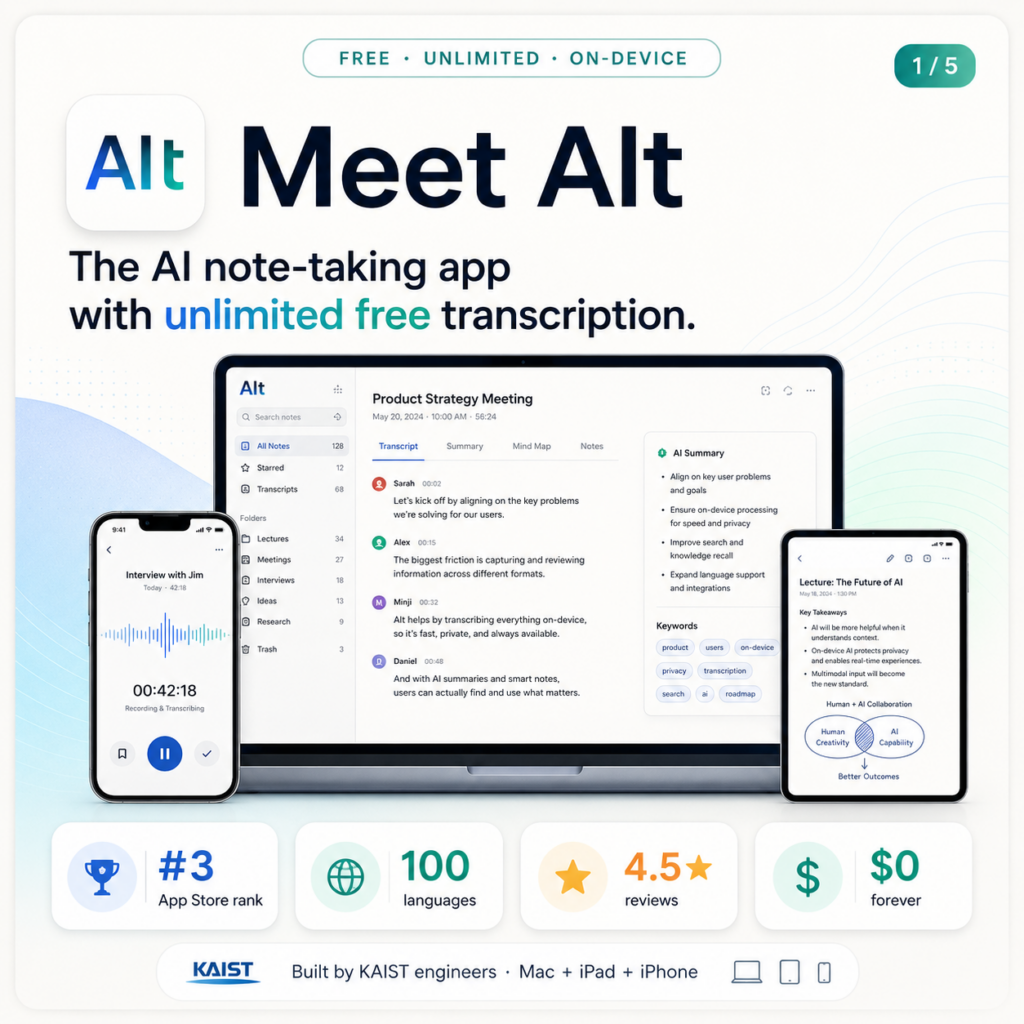
Three engineers from KAIST got annoyed by this and built something different. The app is called Alt. It hit number 3 on the Korean App Store six days after launch. And it’s now available to download anywhere in the world, including the US, on Mac and iPad.
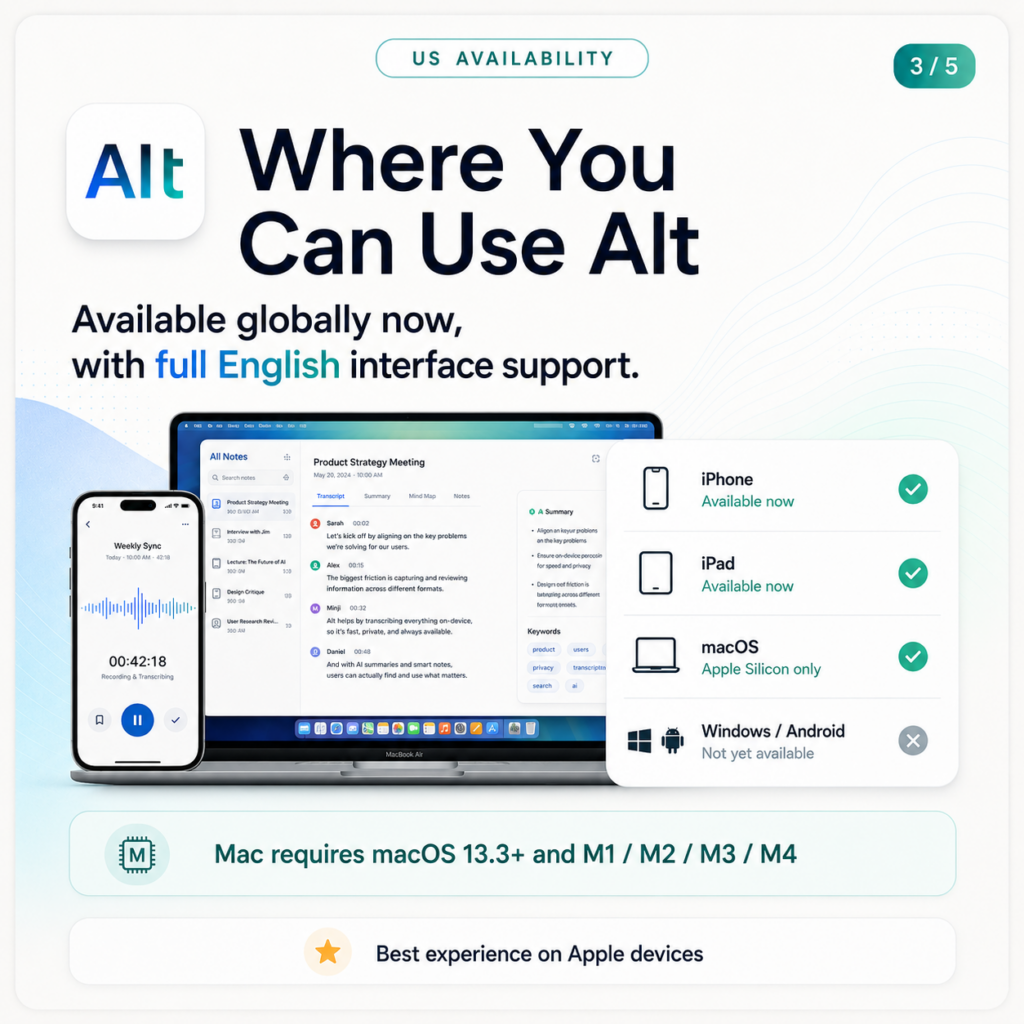
The speech recognition is free. Forever. No monthly cap. And here’s the part that actually makes that possible: the AI runs entirely on your device. No server. No data going anywhere. That’s not a marketing line — it’s the technical reason they can offer unlimited transcription without charging you for it.
Alt — At a Glance
🇺🇸 US Availability — What You Need to Know
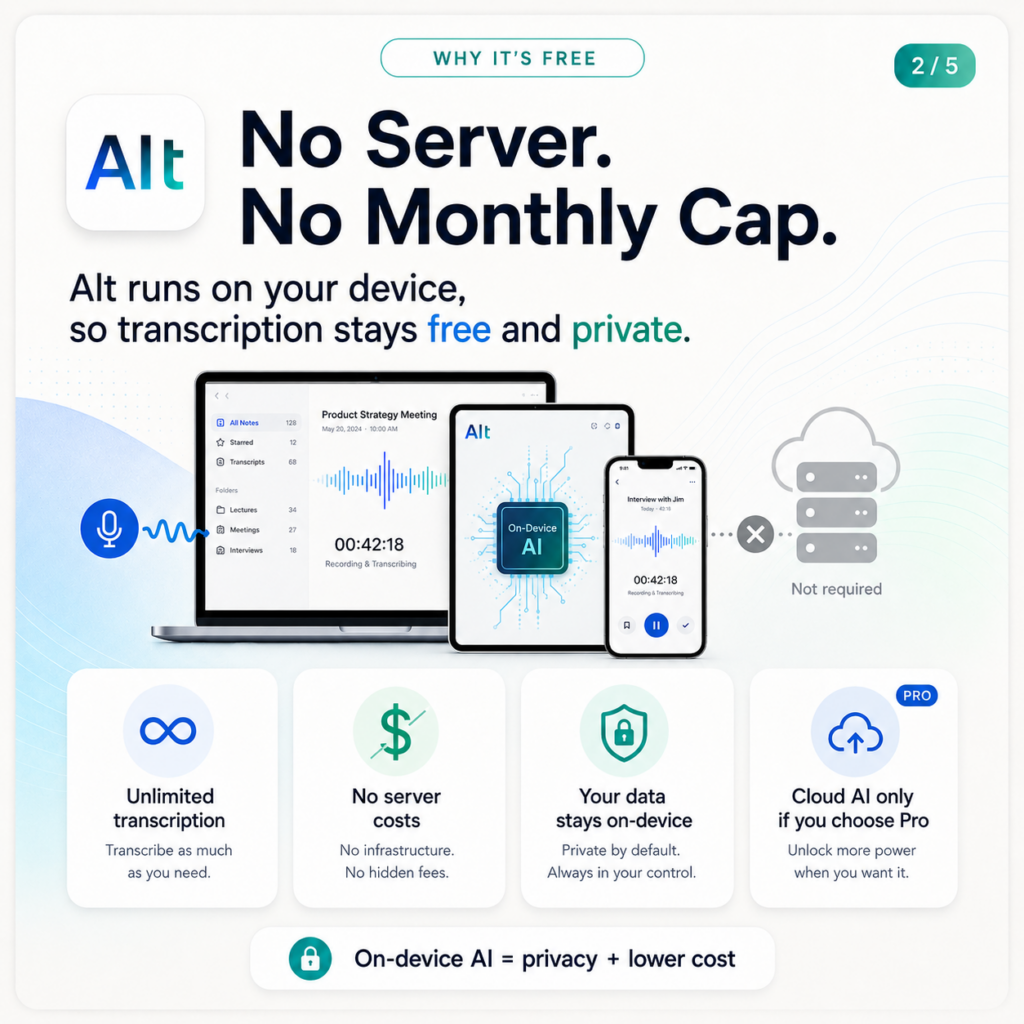
Alt is available to download globally right now at altalt.io. The English interface is fully supported.
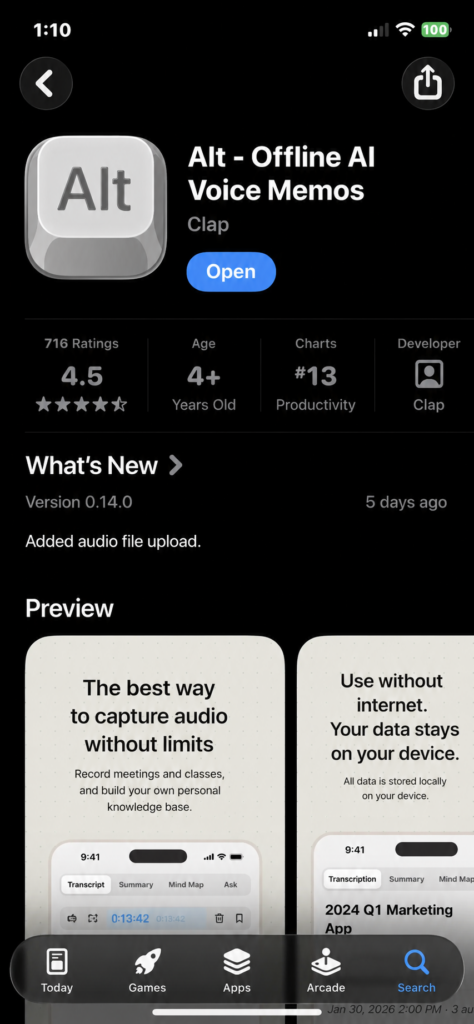
iPhone: Available on the App Store now (4.5 stars, 716+ reviews, Productivity chart #13).
iPad: Available on the App Store.
macOS: Requires macOS 13.3+ with Apple Silicon (M1/M2/M3/M4). Intel Macs not supported.
Windows / Android: Not yet available.
 A Side Project That Got Out of Hand
 A Side Project That Got Out of Hand
The origin story is pretty straightforward. One of the co-founders, Andrew Sangwoo Ye, was manually running a speech-to-text model on his own machine to take notes in class because every AI notetaker app had monthly time limits. He told CEO Jeongyeon Lee about it. They figured they could build something better.
That calculation turned out to be harder than expected. Getting a high-performance 1.6GB voice recognition model to run on an iPhone without destroying the battery took a month of work. The solution they landed on — quantizing not just the weights but the actual compute precision and memory footprint — was different enough from existing approaches that they open-sourced it.
The result runs on Apple Silicon at 15x the speed of the previous best on-device benchmark, using 12ms per audio chunk instead of 46ms. It’s not a product built around a clever idea. It’s a product built around an actual engineering problem that the team solved themselves.
Why It’s Actually Free (and Why That Won’t Change)
 Why It’s Actually Free (and Why That Won’t Change)
The honest version: there are no server costs because there’s no server. Every AI process in Alt runs on your own hardware. The speech-to-text model lives on your device. The summarization runs locally. Nothing goes to an external API unless you specifically choose the Pro plan and opt into cloud AI models like GPT or Gemini for higher-quality summaries.
From the official site: “Because the AI works inside your laptop, there are no AI or server costs. That’s why we can offer it free and unlimited.”
That logic is airtight. And it has a privacy implication worth noting: your voice data never leaves your machine. Not encrypted in transit to their servers. Not processed somewhere and deleted. Just never sent anywhere in the first place.
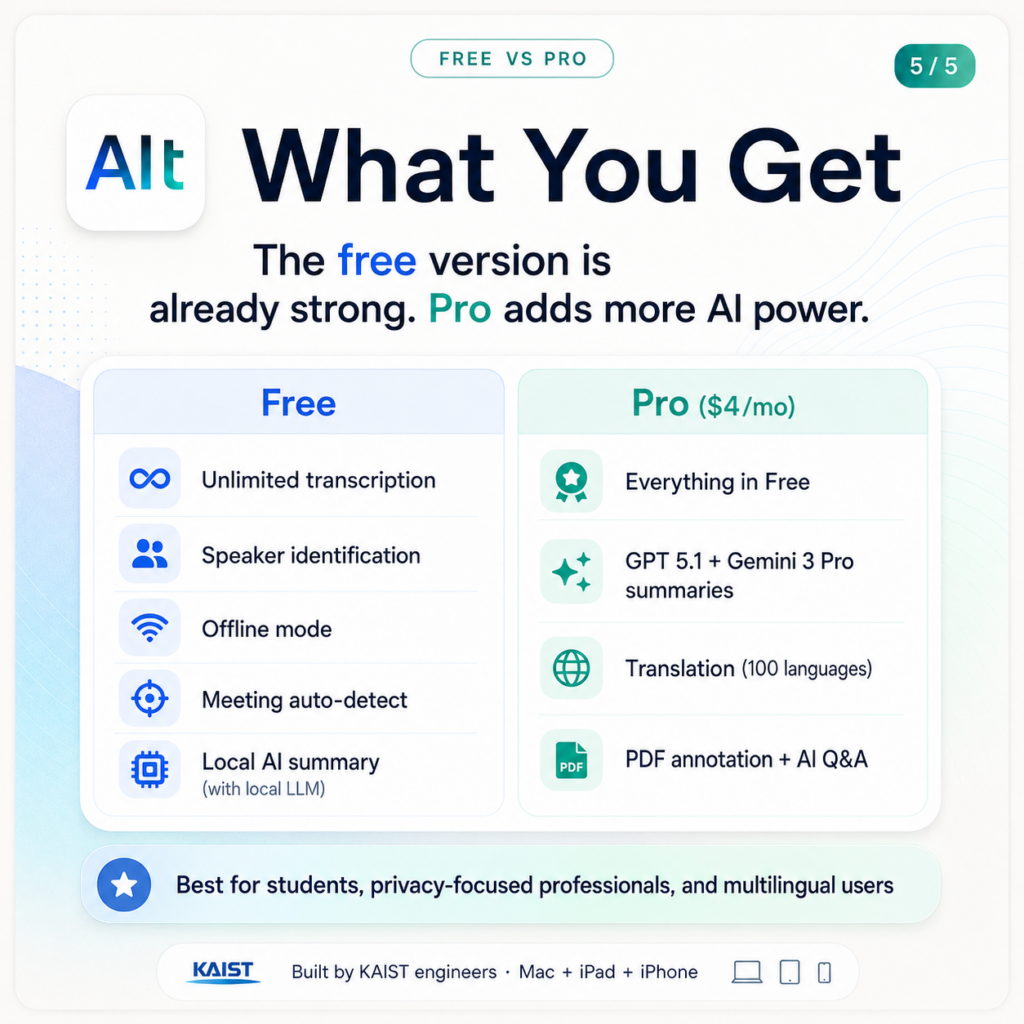
| Feature | Free | Pro ($4/mo) |
|---|---|---|
| Speech-to-text transcription | Unlimited forever | Unlimited forever |
| Speaker identification | Included | Included |
| Offline mode | Included | Included |
| Auto-detect Zoom/Meet/Teams | Included | Included |
| AI Summary (local model) | Free with local LLM | Included |
| AI Summary (GPT / Gemini) | Not included | GPT 5.1 + Gemini 3 Pro |
| Translation (100 languages) | Not included | Included |
| PDF annotation + AI Q&A | Not included | Included |
What It Does in Practice
 What It Does in Practice
Lectures and classes
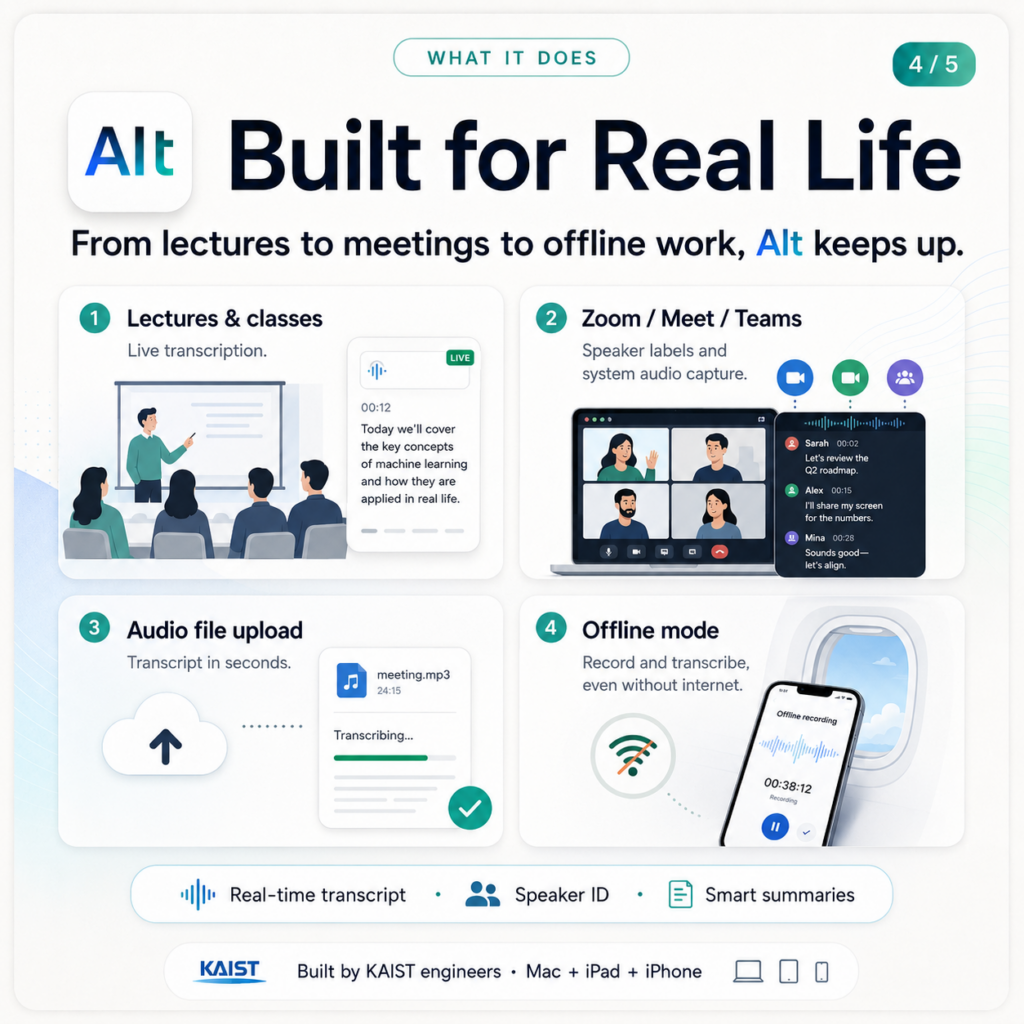
Real-time transcription with live summary. If you’re in a lecture hall with ambient noise, the on-device engine handles it. English, Spanish, Japanese, Mandarin — same experience. A 15-credit semester is around 60 hours of class time monthly. That’s the kind of volume that broke every other app. Alt doesn’t cap it.
Meetings on Zoom, Google Meet, Teams
Alt detects when a supported meeting platform starts and begins recording automatically. You don’t configure anything. It records the system audio (not the mic), so even if you’re in a noisy environment the meeting transcript comes out clean. Speaker identification labels who said what.
Existing audio files
Upload recordings you already have — old lectures, podcast episodes, voice memos — and get a transcript in seconds. Upload directly from your phone or Mac.
PDFs (Pro)
Annotate PDFs directly within the app. Long documents get AI summaries. Ask questions about specific sections and get answers sourced from the document. Useful if you’re combining lecture notes and reading materials in one place.
Offline mode — the one nobody else has
Underground lecture halls. Flights. Conference rooms with terrible wifi. Alt works the same offline as online because the AI is already on your device. There’s no degraded experience, no “reconnecting” spinner, no gap in the transcript.
The Tech Under the Hood (Non-Technical Version)
 The Tech Under the Hood (Non-Technical Version)
Two things power Alt that are worth understanding.
The speech-to-text engine is based on Whisper, OpenAI’s open-source transcription model. But running Whisper on a local device at acceptable speed required custom engineering — the team rebuilt it using GGML and CoreML, hitting 12ms per audio chunk against the standard 46ms. For context: that’s roughly 39x faster than the previous on-device benchmark. It also means the model fits on your device without destroying battery life, which wasn’t a given with the high-accuracy Korean-language version they needed.
The speaker identification runs on Pyannote, currently the best-performing open-source speaker diarization model (SOTA as of 2025). Same approach — rebuilt for on-device execution in CoreML. It separates speakers in real time, labeling each line of transcript automatically.
Neither of these was available as an out-of-the-box solution for on-device Apple Silicon deployment. The team built the implementations themselves, then open-sourced them.
 Who Gets the Most Out of This
 Who Gets the Most Out of This
🎓 College and grad students on Apple Silicon Macs or iPads
This is who the app was built for. Heavy lecture loads, foreign language courses, no budget for subscriptions. If this describes you and you have an M-chip Mac or iPad, try it before you try anything else.
💼 Professionals handling sensitive meeting content
Legal, medical, HR, finance — any context where you can’t have meeting content processed on someone else’s server. The on-device architecture isn’t a bonus feature here, it’s the point.
🌐 People working across multiple languages
100-language support with real-time translation on Pro. An English-speaker attending a meeting in Japanese, or a Korean student in an English course, gets the same experience. The translation isn’t a bolt-on — it’s the same on-device pipeline.
✈️ Frequent travelers and offline workers
If you’re often in environments without reliable internet — flights, basements, international travel — every cloud-based transcription tool breaks down. Alt doesn’t have that failure mode.
⚠️ Three Things to Know Before You Download
Mac requires Apple Silicon. The macOS desktop version needs an M1/M2/M3/M4 chip — pre-2020 Intel Macs won’t run it. iPhone and iPad have no such restriction, just download from the App Store.
Some users report initial model download time. On first launch, Alt downloads the on-device speech recognition model. A few reviewers noted a wait of a few minutes before recording starts the first time. After that it’s instant.
Local LLM needs setup for free summaries. Getting AI summaries on the free tier means downloading a local LLM (a one-time process). The Pro plan at $4/month handles it with cloud models (GPT 5.1, Gemini 3 Pro). Transcription itself needs zero setup either way.
Download Alt Free
iPhone · iPad · macOS Apple Silicon · 100 languages · Your data stays on your device
Know a student paying $15/month just to transcribe lectures?
Send them this. The free tier alone is better than most paid plans they’re currently on.
Written by the MindWiredAI team. All details verified against altalt.io, the official LinkedIn post by CEO Jeongyeon Lee, and yozm.wishket.com product review (Feb 2026). Alt was built by KAIST engineers Jeongyeon Lee and Andrew Sangwoo Ye. Technical specs (39x speed, 12ms/chunk, Pyannote SOTA, CoreML) sourced from official product documentation and the altalt.io features page. US availability confirmed via altalt.io/en. App Store chart ranking is for the Korean App Store chart at day 6 of launch.


