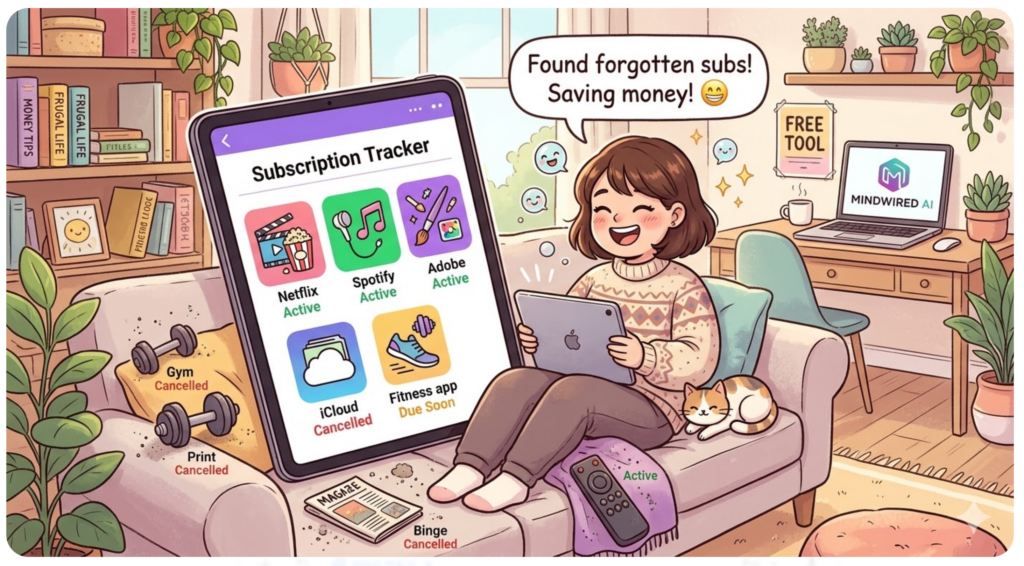
Quick question: how much are you spending on subscriptions right now? If your answer is “I’m not totally sure” — you’re not alone. Most people underestimate their subscription spend by 2 to 3 times. It’s not carelessness. Subscriptions are designed to be forgettable. A $9.99 here, a $14.99 there — and suddenly you’re bleeding over $200 a month without realizing it.
$219
Average monthly spend
2–3×
How much people underestimate
I built this tracker because I was tired of the same cycle: sign up for a free trial, forget to cancel, notice the charge three months later, feel annoyed, and repeat. The fix isn’t another app that charges you $5/month to track your spending. It’s a simple, free tool that shows everything in one place — and actually helps you take action.

What This Tracker Does
This isn’t a budgeting app. It’s a focused tracker built for one thing: showing you exactly what you’re paying for, when each payment hits, and which subscriptions deserve the axe.
📊
Live Dashboard
Monthly total, annual total, active count, cancelled count — all update in real time
🔴
D-Day Alerts
Color-coded badges: due today, in 3 days, within a week
🍩
Spending by Category
Donut chart shows where your money goes — streaming, software, utilities
⚡
Due Soon Panel
Everything due in 7 days, sorted by urgency
✏️
Inline Editing
Click any cell to edit directly — no forms, no modals
📄
CSV & PDF Export
Download as spreadsheet or save a clean PDF snapshot
How to Use It
1
Add your subscriptions. Click “Add Subscription” and enter the name, amount, billing frequency, and next payment date. Sample data is pre-loaded so you can try it right away.
2
Review the dashboard. Monthly and annual totals update instantly. The donut chart shows which categories eat the most money.
3
Check D-Day alerts. Red = due today. Orange = within 3 days. Yellow = this week. Plan cancellations before the next charge hits.
4
Cancel what you don’t need. Click the status toggle to mark as “Cancelled.” They stay visible for your records but are excluded from totals.
5
Export and come back. Download CSV for Excel, or save a PDF. Your data auto-saves in the browser — still there when you return tomorrow.
▸ Interactive Tool
Free · No Signup · Auto-saves
💡 Your data is saved locally in your browser. Bookmark this page to come back anytime.
The Subscriptions Most People Forget About
When I first tracked my own subscriptions, I found three services I’d completely forgotten about. One was a cloud storage plan I stopped using six months ago. Another was a fitness app from a New Year’s resolution that didn’t survive January. Together: $27/month wasted — that’s $324/year for nothing.
Here’s where “subscription creep” hits hardest:
Streaming: Netflix, Hulu, Disney+, HBO Max, Apple TV+, Peacock, Paramount+ — it’s easy to have 4 or 5 active without watching most of them. Rotate, don’t stack. Subscribe to one, binge it, cancel, move to the next.
Software and cloud tools are the other big one. Adobe, Notion, Canva, Grammarly, Dropbox, iCloud upgrades — if you’re a knowledge worker or creator, these stack up fast. If you haven’t opened an app in 30 days, cancel it. You can always re-subscribe later.
💡 5 Ways to Cut $50+/Month
→ Audit quarterly. Set a calendar reminder every 3 months to open this tracker and review. You’ll almost always find something to cancel.
→ Check for annual plans. Switching from monthly to annual billing saves 15–20% on services you’re keeping long-term.
→ Share family plans. Netflix, Spotify, Apple One, YouTube Premium — split across 2–3 people saves everyone money.
→ Negotiate or downgrade. Call phone and internet providers once a year. They almost always have cheaper tiers or retention offers.
→ Use “cancelled” as a wishlist. Mark cancelled subscriptions instead of deleting them. Clean history of everything you’ve tried.
Your Data Stays Private
🔒
This tracker stores everything locally in your browser using localStorage. Your subscription data never leaves your device — not sent to any server, not stored in any database, not visible to anyone but you. No accounts, no tracking, no data harvesting.
The CSV export exists so you can back up your data whenever you want. If you switch browsers, export a CSV and re-enter your key subscriptions. Takes about 5 minutes once a quarter.
📌
Make This Your Monthly Check-In
Bookmark this page and spend 5 minutes every month reviewing your subscriptions. That one habit could save you hundreds a year. Free forever. No catch.