
Dramatically Smarter
One file. Five rules. Claude stops forgetting, stops drifting, and starts actually doing what you want.

·
⏱ 7 min read
·
📥 Free CLAUDE.md template included
“Your neighbor’s Claude is smart. Mine is… fine.” Sound familiar?
The difference isn’t the model. It’s not the subscription tier. It’s not even the prompts. It’s whether or not they’ve set up a CLAUDE.md file — and what’s inside it.
This is the concept behind harness engineering: instead of fighting AI’s limitations every session, you build a structure around it so it performs predictably, every time. Not magic — just five rules in a file.
Here’s what goes in it.
What is CLAUDE.md?
It’s a plain text file you place at the root of your project (or reference at the start of a session). Claude reads it automatically at the beginning of every session and treats it as standing orders.
Think of it as the employee handbook for your AI. You write the rules once. Claude follows them every time. You stop repeating yourself.
# Location
your-project/
├── CLAUDE.md ← goes here
├── src/
└── package.json
Every time you start a new Claude session, do you find yourself typing the same things? “Always run tests after changes.” “Keep commits small.” “This project uses TypeScript.”
That’s not prompting — that’s babysitting. Stop doing it.
Write those rules in CLAUDE.md once, and Claude will follow them without being asked. The file becomes your persistent instruction layer — the thing that survives across sessions.
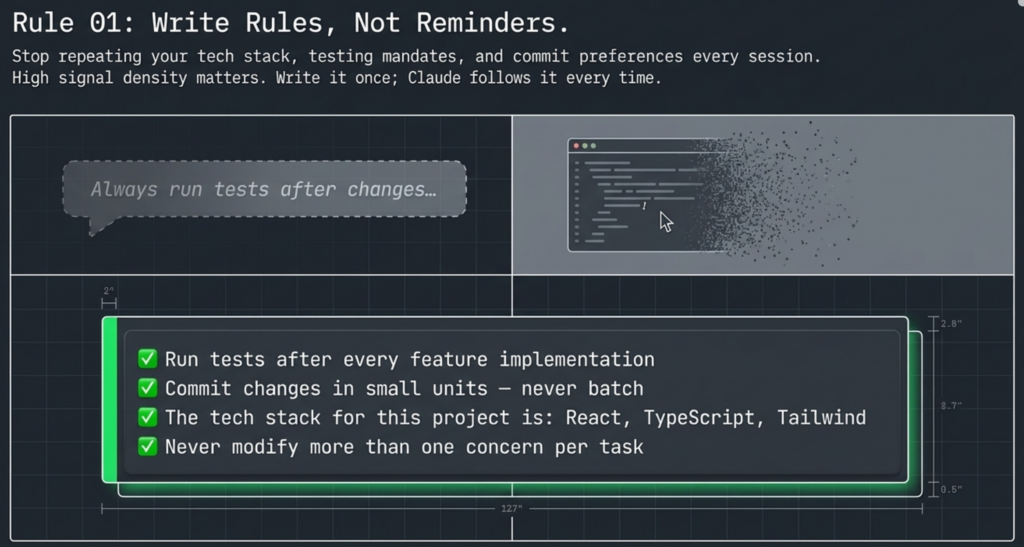
What to put in yours:
✅ Run tests after every feature implementation
✅ Commit changes in small units — never batch unrelated changes
✅ The tech stack for this project is: [your stack]
✅ Never modify more than one concern per task
Keep it under 300 lines. This is not a place to dump all project documentation. Signal density matters — the more noise you add, the less Claude pays attention to what’s actually important.
AI is great at building things. It’s terrible at checking whether those things actually work. Left to its own devices, Claude will hand you output and call the job done — whether it works or not.
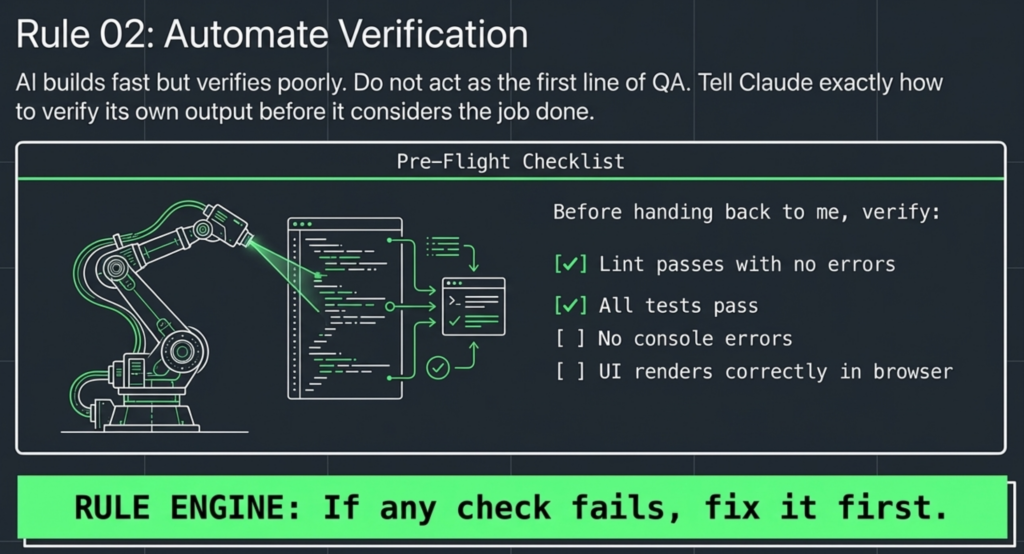
The fix: tell Claude exactly how to verify its own output before it’s done. Build the verification into the rule.
# In your CLAUDE.md:
Before handing back to me, verify:
– [ ] Lint passes with no errors
– [ ] All tests pass
– [ ] No console errors
– [ ] UI renders correctly in browser
– [ ] Screenshot matches requirements
If any check fails, fix it first.
The goal: minimum verification before human review. AI builds fast. Your time is too valuable to be the first line of QA.
Research shows AI consistently rates its own output higher than it deserves. When you ask Claude to build something and then review it in the same context, you’re asking a biased judge to evaluate their own work. The results are predictably optimistic.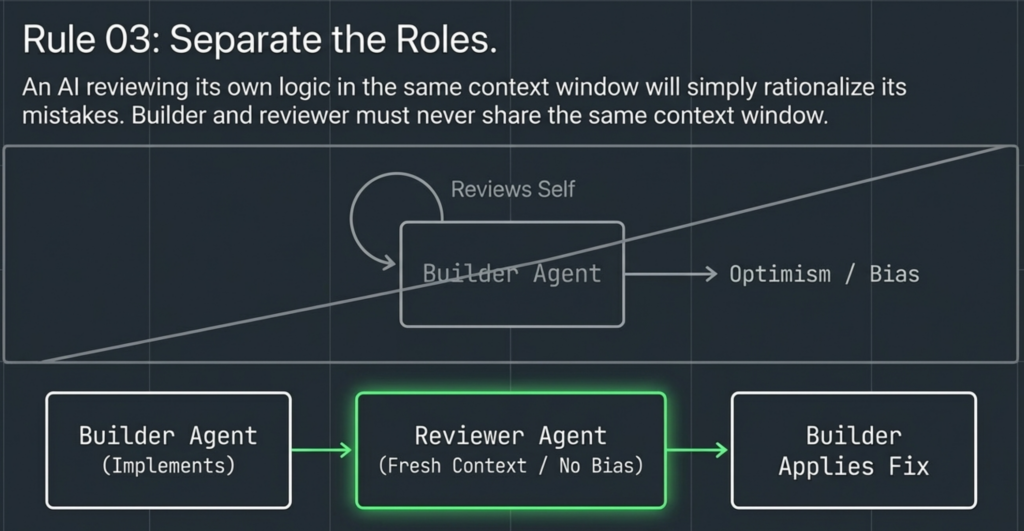
The solution is context separation. The builder and the reviewer should never share the same context window.
The delegation pattern:
Step 1
Builder Agent
Implements the feature
Step 2
Reviewer Agent
Fresh context. No bias.
Step 3
Fix
Builder applies review
The key insight: context separation is the whole point. A reviewer who knows what the builder decided isn’t really reviewing — they’re rationalizing.
Claude makes the same mistakes repeatedly. It’s not being difficult — it genuinely has no memory between sessions. Every conversation starts fresh. That means every bug you fixed last Tuesday is a bug it’s fully capable of introducing again today.
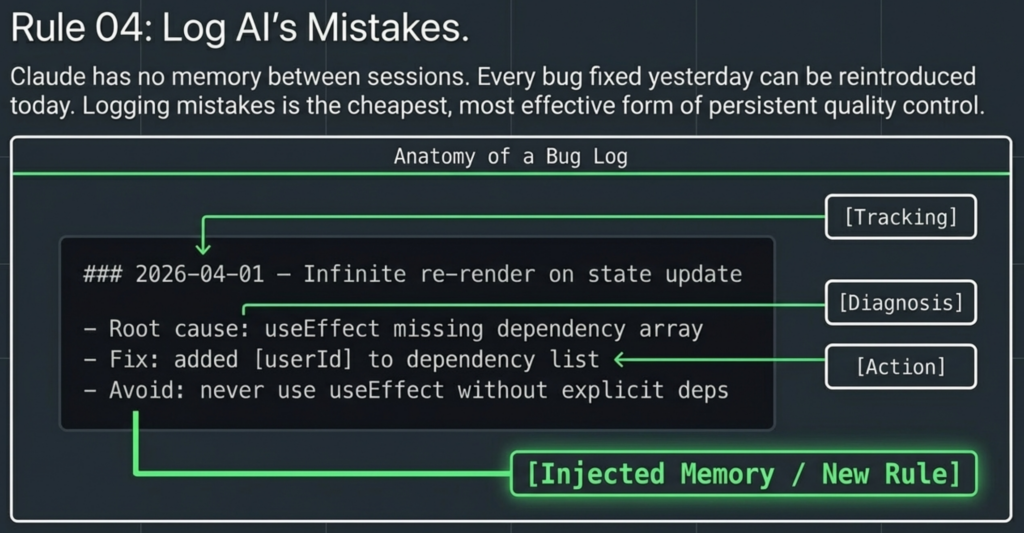
The fix is a bug log inside your CLAUDE.md. Every time you hit a wall and fix it together, you add an entry. Now that mistake is part of Claude’s standing orders — and it won’t make it again.
# Bug Log format (add to your CLAUDE.md):
## Bug Log
### 2026-04-01 — Infinite re-render on state update
– Root cause: useEffect missing dependency array
– Fix: added [userId] to dependency list
– Avoid: never use useEffect without explicit deps
### 2026-04-03 — Migration wiped test data
– Root cause: ran migration on wrong env
– Fix: always check NODE_ENV before migrate
– Avoid: never run db:migrate without env check
Don’t trust. Control. AI makes mistakes frequently. Logging them is the cheapest form of quality control you have.
AI performs worst when given unlimited freedom. Counterintuitively, it performs best inside tight constraints. The moment you fence it in, it stops drifting and starts executing predictably.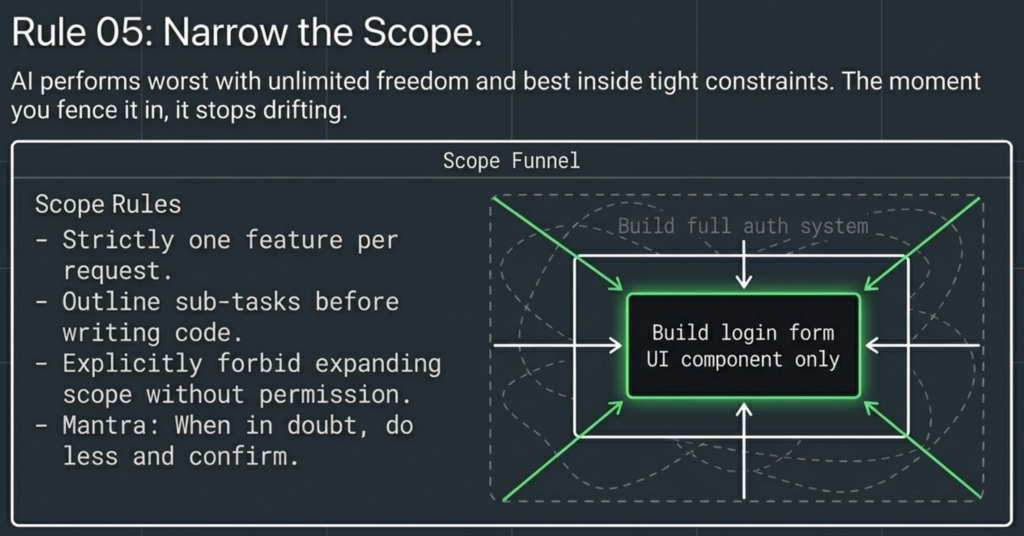
The rule: one feature per request. If the feature is large, ask Claude to break it into sub-tasks first and confirm the plan before touching a single line of code.
❌ Too broad — Claude drifts
“Build me a full auth system with login, signup, password reset, OAuth, and session management.”
✅ Narrow — Claude executes
“Build the login form UI only. No logic yet — just the form component with email + password fields.”
# Add this to your CLAUDE.md:
## Scope Rules
– One feature per request
– If a task is large, outline sub-tasks first
– Do not expand scope without permission
– When in doubt, do less and confirm
– Ask before adding anything not explicitly requested
📥
A ready-to-use CLAUDE.md with all 5 rules built in. Drop it into your project root and you’re done.
Plain text. No signup required. Just drop it in your project.
⚡ Quick Reference — All 5 Rules
01
Write Rules, Not Reminders
Put your standing instructions in CLAUDE.md. Under 300 lines. Claude reads it every session.
02
Automate Verification
Tell Claude to lint, test, screenshot, and compare before handing back. Build QA into the rule.
03
Separate the Roles
Builder and reviewer must use separate contexts. AI can’t objectively judge its own output.
04
Log AI’s Mistakes
Add a Bug Log section. Every fixed bug gets a root cause, fix, and avoid entry. Stops repeat mistakes.
05
Narrow the Scope
One feature per request. Large task? Break it into sub-tasks first. AI performs best inside tight fences.
🧠
People who give AI structure are getting dramatically better results than those who just type prompts. CLAUDE.md is the simplest structure you can add today. It costs 10 minutes to set up and pays off on every single session after that.
Know someone who uses Claude daily? Send them this. They’ll thank you.
Spread the word
Know someone who uses Claude? Share this. 🧠
They might be babysitting their AI every session when they don’t have to.
Every share reaches someone who’s been babysitting their AI when they don’t have to 🙏


