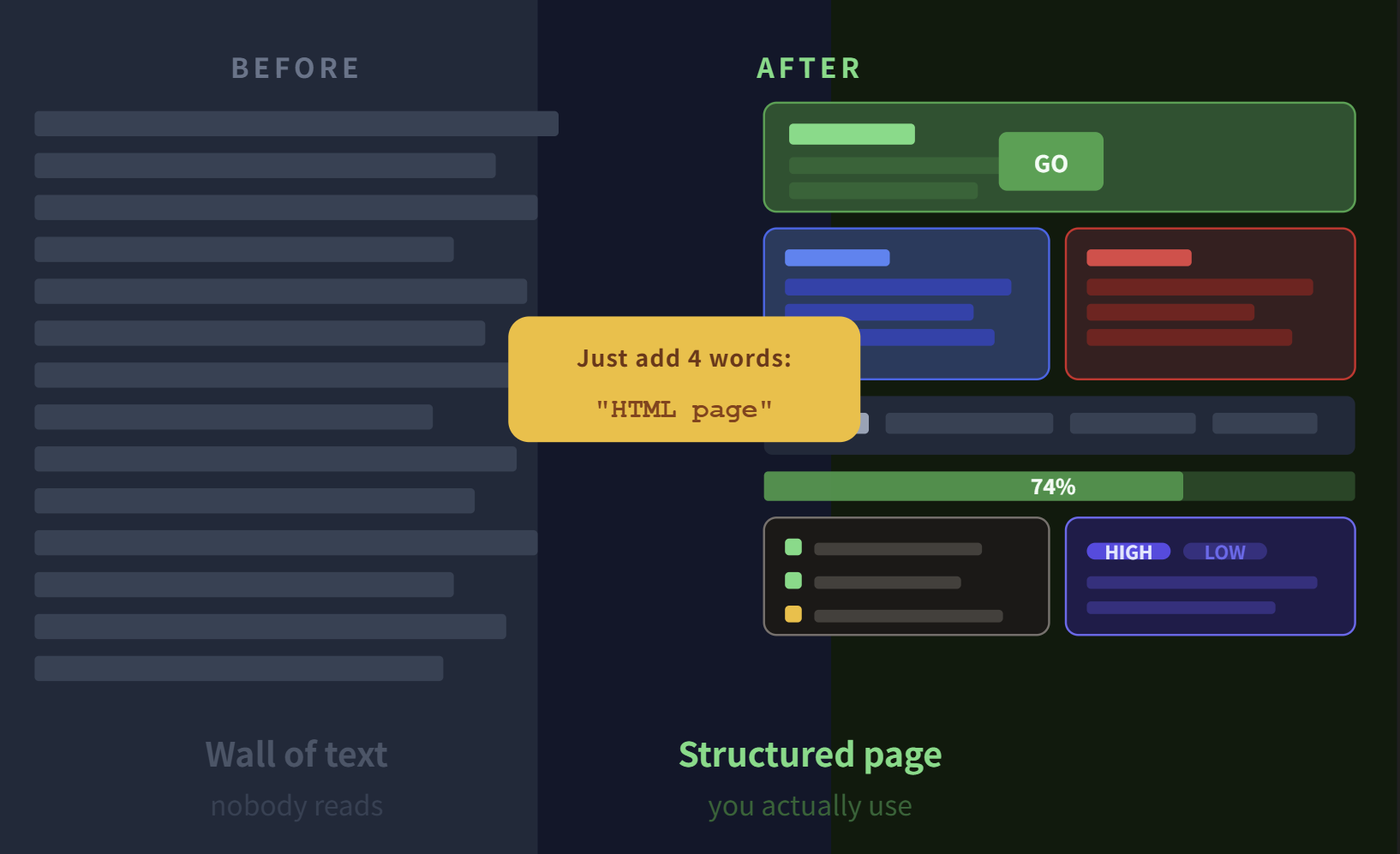
The Easiest Way to Get Better Output from Claude: Add One Line to the End of Your Prompt
Not a longer prompt. Not a different model. Just four words at the end.
You’ve probably had this experience. You ask Claude something and the answer is genuinely good — well-reasoned, thorough, exactly what you needed. But when you actually try to use it, something feels off.
The response is a wall of text. The key points are buried somewhere in paragraph three. You’d want to share it with someone but it looks rough. You save it to read later and never come back to it.
The information was there. The presentation wasn’t.
Here’s the fix. Add this to the end of your next prompt:
Make this as an HTML page.
That’s it. Four words. And the output becomes a formatted, visual, shareable webpage instead of a block of markdown text. Cards, tables, checklists, color coding, progress bars — Claude builds the whole thing.
Why HTML Output Is Different
When Claude responds in plain text, it’s optimized for reading in a chat interface. That’s fine for quick questions. But for anything you actually want to use, reference, or share, plain text has a structural problem — everything looks the same weight.
When you ask for HTML, Claude structures the content visually from the ground up:
Plain text response
- Long paragraphs
- Constant scrolling
- Hard to skim
- Awkward to share
- Saved, never revisited
HTML response
- Cards and sections
- Tables and comparisons
- Color-coded priorities
- Interactive checkboxes
- One file to share
It feels less like reading a chat response and more like opening a document someone actually made for you.
Real Use Cases
1. Business plans and proposals
Example prompt
“Create a product launch plan for a new productivity app targeting freelancers. Include goals, timeline, and a launch checklist. Make this as an HTML page.”
Instead of a wall of text, you get a structured report with a timeline section, a prioritized task checklist, and goals broken into phases. I’ve used this exact approach when drafting pitch documents for startup support programs — it cuts the time from rough notes to presentable document by a huge amount. What would take an hour in Word gets done in ten minutes as an HTML draft you can actually hand to someone.
2. Competitor research and market analysis
Example prompt
“Compare these five SaaS tools on pricing, key features, and target audience. Make this as an HTML report with a comparison table.”
Claude generates a proper comparison table — not a paragraph describing differences, but an actual grid you can scan in seconds:
| Category | Tool A | Tool B | Tool C |
|---|---|---|---|
| Price/mo | $9.99 | $7.99 | $12.00 |
| Features | ★★★ | ★★★ | ★★★★★ |
| Ease of use | ★★★★★ | ★★ | ★★★ |
This is especially useful when preparing for government grant applications or investor meetings where you need to show market awareness quickly and clearly.
3. Comparing multiple options side by side
Example prompt
“Generate 6 thumbnail title options for a YouTube video about AI productivity tools. Display them side by side so I can compare. Make this as an HTML page.”
Claude lays out all six options in a grid — each one as a card with the title, a mock thumbnail, and a brief rationale. You go from a numbered list you have to mentally compare to a visual selection screen you can actually decide from. Same for ad copy, product names, pricing tiers, landing page headlines — anything where you’re choosing between options benefits from this layout.
4. Building your own mini tools
This is the one that surprises most people.
Example prompt
“Build me a page where I can drag and rank 20 YouTube title ideas in order of preference. Make this as an HTML page.”
Claude builds you a working drag-and-drop ranking tool. Buttons, interactivity, copy-to-clipboard — the whole thing. No coding required on your end. You open it in a browser and it just works.
You can do the same for:
- Idea scoring calculators
- Launch readiness checklists
- Client intake forms
- Weekly review dashboards
- Content planning boards
These aren’t production apps. They’re one-off tools you use once or twice for a specific task and throw away. The kind of thing that would cost you hours to build yourself or hundreds of dollars to commission — Claude builds in about 30 seconds.
5 Reasons HTML Output Wins
1
Tables and diagrams instead of paragraphs
Visual structure beats prose for comparison, analysis, and planning tasks.
2
Readable at a glance
Hierarchy, spacing, and color make it easy to find what you need without reading everything.
3
Easy to share
One HTML file, opens in any browser, no software needed on the recipient’s end.
4
Actually interactive
Buttons, checkboxes, sliders — Claude can include working UI elements, not just formatted text.
5
Even better with Claude’s Projects feature
If you’re working inside a Claude Project with your own files and context, asking for HTML output that references your actual data produces something close to a real deliverable — not just a template.
How to Use It (Copy-Paste Ready)
The bare minimum — just add this to the end of any prompt:
Make this as an HTML page.
For more control over the output, try this expanded version:
Make this as an HTML page.
Dark mode.
Responsive layout.
Card-based design.
Include tables and a checklist.
Keep it to one page.
That’s enough to get a structured, polished output for almost any task. You can get more specific — “include a progress bar for each phase” or “add a priority badge to each item” — but even the short version produces dramatically better results than plain text.
The Bigger Shift
Most advice about getting better results from AI tools focuses on making your prompts more detailed, more precise, more sophisticated. And that does help — eventually.
But the fastest improvement most people can make isn’t changing what they ask for. It’s changing how they ask to receive it.
The same question, the same context, the same level of detail — but formatted as a structured HTML document instead of a text response — is easier to use, easier to share, and easier to actually act on.
Next time you open Claude, try ending your prompt with those four words. The gap between what you get and what you actually wanted to receive might be smaller than you think.
The one-liner
Make this as an HTML page.