GPT Image 2 · April 2026
Fact-Checked ✓ · Bookmark This
GPT Image 2 Can Generate QR Codes That Actually Scan. Here’s Why That’s a Bigger Deal Than It Sounds.
For three years, every AI image model failed at QR codes. The squares looked right but the code was dead. GPT Image 2 changed this — and the reason why explains something fundamental about how AI image generation just leveled up.
60–70%
scan success rate (independent test)
3 tools
collapsed into 1 prompt
0
previous AI models could do this
Ask any AI image model from 2023 or 2024 to generate a QR code. Go ahead. What you’ll get back is a perfect-looking, pixel-crisp, completely useless black-and-white grid that doesn’t scan. It looks exactly like a QR code. It just doesn’t work as one.
This is because those models were doing something fundamentally different from what they appeared to be doing. They weren’t encoding data into a QR pattern. They were generating a visual that resembles a QR code — the same way a model “generates text” by producing marks that look like letters without necessarily understanding the alphabet.
GPT Image 2, released April 21, 2026, is the first mainstream AI image model where the QR codes actually scan. This post explains why — the technical reason that makes it genuinely interesting — and then gives you the exact workflow to use this in real projects.
🧠 The Technical Reason — Why Old Models Failed
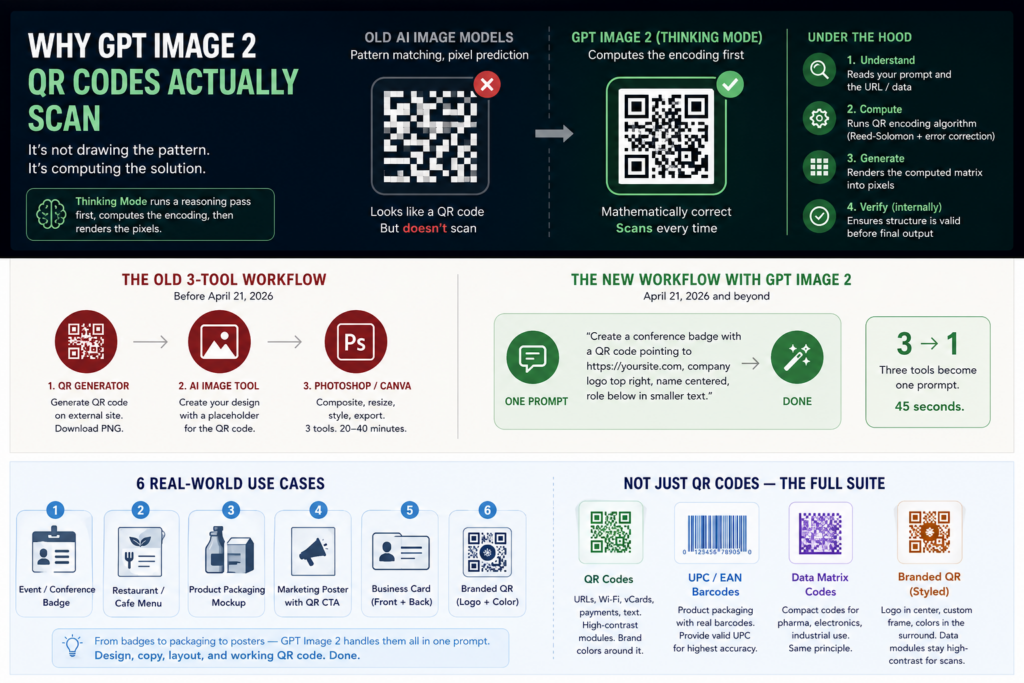
A QR code is not an image. It’s a mathematical encoding — a Reed-Solomon error-correcting code rendered visually as a black-and-white matrix. The precise placement of every single square is determined by an algorithm, and one wrong square breaks the scan entirely.
Previous image models generated images using pattern recognition and pixel prediction. When trained on QR code images, they learned what QR codes look like — the general density, the finder patterns in the corners, the approximate visual texture — without learning the underlying encoding mathematics.
GPT Image 2 is different because it doesn’t just draw pixels. In Thinking Mode, it runs a reasoning pass before generating. That reasoning pass can compute the actual QR encoding — what each square in the grid needs to be — and then render that computation into pixels. The model is solving the math first, then drawing the result. That’s why it scans.

What This Replaces: The Old 3-Tool Workflow
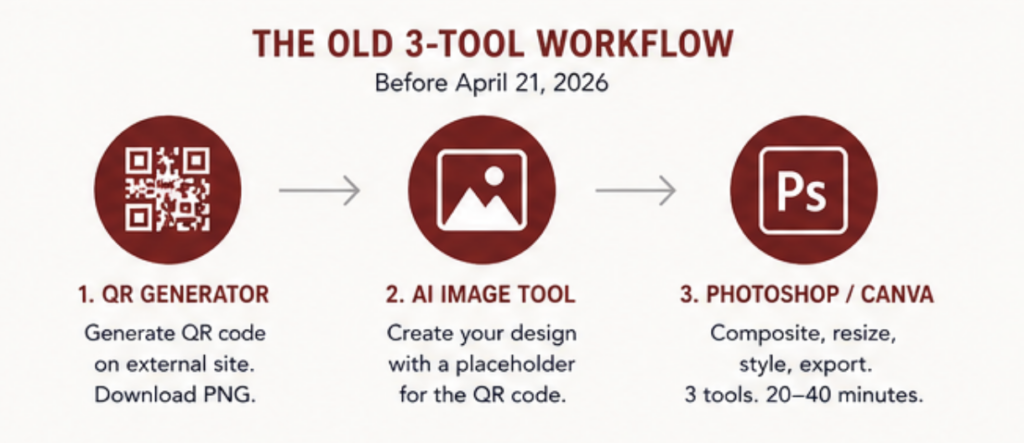
Before April 21, creating a branded QR code for a marketing asset looked like this:
1
QR Generator — qr-code-generator.com, QR Code Monkey, etc. Generate the raw QR code pointing to your URL. Download as PNG.
2
AI Image Tool — Generate your poster, flyer, or marketing asset. Leave a placeholder where the QR code will go.
3
Photoshop / Canva — Composite them. Resize, reposition, add drop shadow, match the design language. Export the final asset.
→ The new workflow with GPT Image 2:
One prompt. “Create a conference badge with a QR code pointing to https://yoursite.com, company logo top right, name centered, role below in smaller text. Clean minimal style, white background.” Done. Three tools become one prompt.
⚠️ The Honest Numbers — Read Before You Build a Production Pipeline
Independent testing by Mejba Ahmed (verified April 2026) puts the scan success rate at 60–70% in Thinking Mode. When you provide a valid, well-formed URL in the prompt, the rate climbs higher. For standard QR codes, the success rate was consistently above 70% in most tests.
The scan success rate improves when you:
→ Use simple, short URLs (less encoding complexity = fewer error opportunities)
→ Enable Thinking Mode (required — Instant Mode doesn’t compute the encoding)
→ Request high contrast (black on white, not brand colors on the QR grid itself)
→ Specify a minimum QR size relative to the overall image
Bottom line: For mockups, prototypes, and presentations, GPT Image 2’s QR generation is genuinely production-useful right now. For high-stakes print runs where a non-scanning code is a costly mistake, verify every output before committing to print.
It’s Not Just QR Codes — The Full Precision Encoding Suite
Once you understand why QR codes work, you realize the same capability applies to every type of machine-readable code.
QR Codes
URLs, Wi-Fi credentials, contact cards (vCards), payment links, plain text. With brand colors around the QR matrix — not inside it.
UPC / EAN Barcodes
Product packaging mockups with real barcodes. If you provide a valid product ISBN or UPC number, scan rate climbs significantly.
Data Matrix Codes
Smaller format, used in pharmaceutical packaging, electronics. Works on the same principle — computational encoding before rendering.
Branded QR (Styled)
Brand colors in the surround area, logo embedded in the center quiet zone, custom frame design. The QR data modules stay high-contrast for scan reliability.

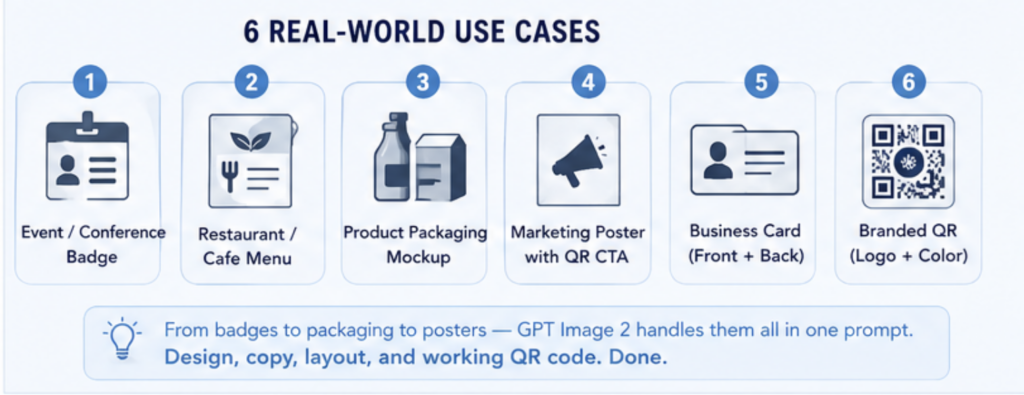
6 Real-World Use Cases — With Copy-Ready Prompts
Each prompt below is structured for Thinking Mode. Paste directly into ChatGPT (Plus or Pro required).
USE CASE 01
Event / Conference Badge
A classic QR use case — attendee badges with a scannable link to their LinkedIn, portfolio, or a custom landing page. Previously required 3 tools and a designer. Now: one prompt.
Prompt:
Design a professional conference name badge.
Name: “Sarah Chen” (large, bold)
Title: “Product Designer” (medium)
Company: “Vercel” (small, gray)
Bottom right: working QR code pointing to https://linkedin.com/in/sarahchen
Top left: small badge number “#0247”
Style: clean white background, minimal sans-serif, thin border.
QR code should be high contrast black on white, 1.5 inch equivalent size.
Aspect ratio 2:3.
Pro tip: Use a short URL or a link shortener (bit.ly, etc.) — shorter URLs encode into simpler QR patterns with higher scan reliability.
USE CASE 02
Restaurant / Cafe Menu
This was the test that went viral — TechCrunch published it on launch day. Ask for a full menu with real item names, descriptions, prices, and a QR code linking to the digital menu. Perfect for prototype presentations or small restaurant owners who need a print-ready mockup.
Prompt:
Create a single-page restaurant menu for “Marisol” — a modern Mexican bistro.
Sections: Starters, Mains, Desserts, Drinks (3 items each).
Include realistic dish names, one-line descriptions, and prices ($12–$34).
Bottom of the page: QR code pointing to https://marisol.menu, labeled “Full Menu & Reservations”.
Style: cream paper texture, dark green and terracotta palette, elegant serif typography.
Size: US Letter (8.5×11), print-ready layout.
Pro tip: Add “QR code should be minimum 1 inch × 1 inch at print scale” — QR codes that are too small in the generated image have lower scan rates when printed.
USE CASE 03
Product Packaging Mockup
For DTC brands and e-commerce sellers, this is the biggest workflow change. Create a full packaging mockup — including a scannable QR linking to your product page and a real UPC barcode — without touching Photoshop. Investor decks, Kickstarter campaigns, and product launches can now show realistic packaging from a single prompt session.
Prompt:
Create a product packaging label for a cold brew coffee concentrate.
Brand: “Darkwave Coffee” — dark navy and amber palette, bold condensed typography.
Front label text: “DARKWAVE / Cold Brew Concentrate / 32 fl oz / Add 1:4 water or milk”
Bottom right: UPC barcode (use 012345678905)
Bottom left: QR code pointing to https://darkwavecoffee.com/brew-guide
Nutrition facts panel on the back.
Realistic label mockup on a dark glass bottle. Professional product photography angle.
Pro tip: Providing a real-format UPC number significantly improves barcode scan accuracy vs. asking the model to generate one.
USE CASE 04
Marketing Poster with QR CTA
The format that exploded on social media after the launch — complete marketing collateral in one generation. The model searches the web (in Thinking Mode), plans the layout, writes the copy, and produces the QR, all in a single pass. What used to take an agency afternoon now takes 45 seconds.
Prompt:
Design a poster for a free AI workshop event.
Event: “AI for Everyone: Getting Started with AI Tools”
Date: Saturday, June 14, 2026 · 10am–2pm
Location: San Francisco Public Library, Main Branch
Headline: large and bold, should be the first thing you read.
Body: 2 lines explaining the event is free and beginner-friendly.
Bottom: QR code linking to https://sfpl.org/aiworkshop
Label under QR: “Register Free — Scan to Sign Up”
Style: friendly, approachable, bright colors. Not corporate.
Aspect ratio 2:3 (standard poster).
Pro tip: The label directly under the QR code (“Register Free — Scan to Sign Up”) dramatically increases physical scan rates — people scan QR codes more when they know what they’re scanning to.
USE CASE 05
Business Card (Front + Back)
Generate a full business card — both sides — including a QR code on the back that links to your portfolio, LinkedIn, or Calendly booking link. For freelancers and founders, this replaces the “go to Canva, find a template, export, send to Moo” workflow for first-draft mockups.
Prompt:
Create a professional business card — front and back — displayed side by side.
Front: Name “Marcus Webb”, Title “Independent UX Consultant”,
Email: [email protected], Phone: +1 415 555 0198, Website: webbux.co
Back: Large QR code (centered) pointing to https://webbux.co/book
Label under QR: “Book a Free 30-min Call”
Style: matte black background, white text, single gold accent line.
Standard business card dimensions 3.5 × 2 inches. Print-ready design.
USE CASE 06
Branded QR — Logo + Color
The most visually impressive use case — a QR code with a logo embedded in the center, surrounded by brand colors, placed inside a full marketing asset. QR codes include a built-in error-correction feature (up to 30% of the data can be damaged and still scan) which is what makes logo embedding possible without breaking the scan.
Prompt:
Create a branded QR code asset for a skincare brand.
QR code points to: https://glowlabs.co/instagram
QR code style: white modules on soft blush pink background.
Center of QR: small circular logo area in dusty rose (model should leave this as a clean quiet zone).
Surround: subtle floral border illustration in sage green and dusty rose.
Below QR: “Follow us on Instagram” in a delicate serif font.
Overall: feels like a premium beauty brand hang tag. Square format 1:1.
Important: Specify that the QR data modules (the small squares) should remain high-contrast even in the branded version. “Keep the QR module contrast at maximum” is a useful phrase. Decorative elements should be in the border, not inside the data area.
The QR Prompt Formula That Maximizes Scan Rate
After running through the examples above, here’s the consistent structure that produces the highest scan reliability:
[Asset type] — what you’re making
[All text content] — every word that appears, spelled out exactly
[QR instruction] — “Working QR code pointing to [URL]”
[QR size / contrast] — “high contrast, minimum [X] size”
[QR placement] — exactly where in the layout
[Style] — visual language, colors, typography
[Format] — aspect ratio, print specs if relevant
✅ Always Include
“Working QR code” (not just “QR code”)
The full destination URL
“High contrast” or “black on white”
Specific placement in layout
Use Thinking Mode (required)
❌ Avoid
Decorating inside the QR data modules
Very long URLs (use a shortener)
Instant Mode (no reasoning = no encoding)
Tiny QR relative to image size
Low-contrast color combos on the QR
The Bigger Picture: Why This Is a Signal, Not Just a Feature
Working QR codes aren’t the point. They’re the proof.
Every previous image model failed at QR codes for the same reason they failed at spelling, at counting objects precisely, at generating UI wireframes with specific pixel dimensions. They were pattern-matching visual outputs, not computing outputs with visual representations.
In Thinking Mode, GPT Image 2’s workflow is fundamentally different: it pauses before drawing, runs reasoning and web search, plans the layout and hierarchy, and then generates the actual encoding — only then does it render pixels. That’s a different category of tool.
The QR code is just the clearest demonstration because it has a binary test: does it scan or not? As the same reasoning capability gets applied to architectural diagrams, financial charts, UI mockups, and technical documentation, the outputs in those categories are improving for exactly the same reason. The QR code is the canary.
📋 Access Requirements — Quick Reference
ChatGPT Free: GPT Image 2 available, but Instant Mode only. QR codes won’t work reliably — Thinking Mode is required for the encoding computation.
ChatGPT Plus ($20/mo): Full Thinking Mode access. This is the minimum tier for functional QR code generation. ~200 messages/week limit.
ChatGPT Pro ($200/mo): Higher limits, priority access. Best for high-volume QR generation workflows.
API (developers): Model ID gpt-image-2. Use the Responses API with a thinking-capable model paired with image generation. $5/$30 per million tokens.
🔖 SAVE THIS — The Complete Cheat Sheet
Why it works: Thinking Mode computes the QR encoding mathematically before rendering pixels. It’s solving the math, not drawing the pattern. That’s why it scans.
Success rate: 60–70% in independent testing. Climbs higher with short URLs, high-contrast settings, and valid structured data. Always verify before printing.
The prompt formula: Asset type → all text → “Working QR code pointing to [URL]” → high contrast → specific placement → style → format. Thinking Mode required.
Access: ChatGPT Plus minimum ($20/mo). Free tier = Instant Mode = no reliable QR encoding.
Also works: UPC barcodes, EAN codes, Data Matrix codes — with the same principle. Provide valid real-format data in the prompt for higher accuracy.
Tested this? Drop your scan success rate in the comments — and what URL structure worked best for you.
 What This Replaces: The Old 3-Tool Workflow
 6 Real-World Use Cases — With Copy-Ready Prompts


