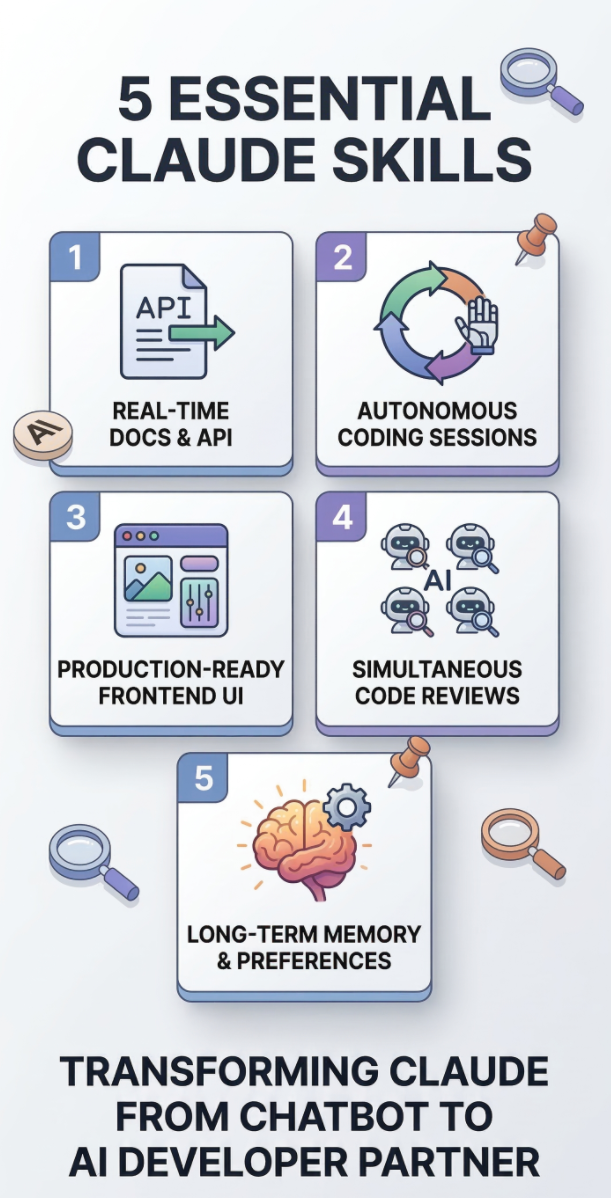
5 Must-Know Claude Code Skills That Turn Your AI Into a Real Dev Partner
If you’re still using Claude as a chat window, you’re getting maybe 20% of what it can actually do. Here’s what changes when you install it in your terminal.
There’s a version of Claude most people never meet. Not the one in your browser tab that answers questions and writes cover letters — the one that lives in your terminal, knows your codebase, and can code through the night while you sleep.
That version is Claude Code, Anthropic’s CLI-based coding agent. And the reason it’s so much more powerful isn’t just the interface — it’s the ecosystem of plugins, skills, and MCP servers you can drop into it.
Quick heads-up before we dive in
None of these are standard claude.ai settings. These are plugins and skills for Claude Code — Anthropic’s terminal-based coding agent. You install them via your command line, not through any browser menu. Think of it less like configuring a chatbot and more like equipping a local dev environment. Install guide at the bottom.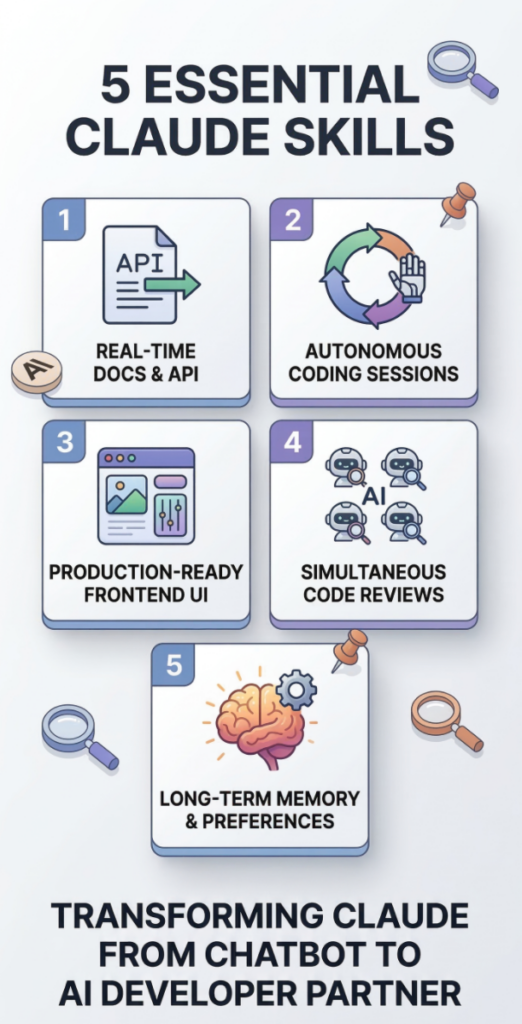
01 / 05
📚 Context7 — Real-Time API Docs, Right in Your Prompt
Claude’s training data has a cutoff. Ask it about React 19, Next.js 15, or any library that shipped something new in the last year, and you’ll get confidently wrong answers. Deprecated APIs. Method signatures that no longer exist. Code that looks correct until it blows up in your terminal.
Context7 fixes this by fetching live, version-specific documentation from the actual source repository and injecting it directly into Claude’s context before it generates code. No hallucinations. No “I believe the syntax is…” No chasing down Stack Overflow to double-check.
Once it’s installed, you just append "use context7" to any prompt and it handles the rest automatically.
claude mcp add context7 -- npx -y @upstash/context7-mcp@latest“Implement Supabase row-level security for multi-tenant access — use context7” → Claude fetches the actual current Supabase auth docs before writing a single line.
02 / 05
🔁 Ralph Loop — Let Claude Work While You Sleep
Most AI coding tools require you to babysit every step. Review. Approve. Nudge. You’re not working faster — you’re just typing in a fancier way.
Ralph Loop changes the model entirely. You give Claude a task, a completion condition, and a max iteration count — then walk away. It runs in a continuous autonomous loop, reviewing its own output, fixing what’s broken, and iterating until it hits your success criteria or the iteration ceiling.
Named after the cheerfully persistent Simpsons character, the philosophy is simple: fail predictably until you succeed. Each loop sees the git history and file changes from the previous pass. Teams have used this to ship 6 full repos overnight, migrate test suites from scratch, and run entire refactors unattended for hours.
/plugin install ralph-loop@claude-plugins-official/ralph-loop “Migrate all Jest tests to Vitest. Output <promise>DONE</promise> when all pass.” –max-iterations 40
03 / 05
🎨 Frontend Design Skill — Production UI, Not Prototype Soup
The default aesthetic of AI-generated frontends is… unmistakable. Purple gradient on white. Inter font everywhere. A card component that looks like it escaped from a Tailwind tutorial. You’ve seen it a thousand times and so has everyone else.
The Frontend Design skill gives Claude a proper design framework: it chooses a deliberate aesthetic direction, uses distinctive typography, applies thoughtful color systems, and generates real production-ready component code — not throwaway boilerplate.
The difference isn’t marginal. It’s the gap between “demo mode” and something you’d actually put in front of a client or a YC partner.
/plugin install frontend-design@claude-plugins-official“Build a dashboard for a SaaS analytics tool. Minimalist, dark, data-forward. Use the frontend design skill.” → You actually get something that looks designed.
04 / 05
🔍 Code Review Agents — A Whole Team in Your Terminal
One of Claude Code’s most underrated features is that it can spin up multiple subagents in parallel — each with focused context and a specific job. The Code Review skill takes full advantage of this.
Instead of asking Claude to “review my code” and getting a generic response, this deploys specialized agents simultaneously: one checking for logic bugs, one auditing security, one evaluating test coverage, one assessing architectural patterns. They work in parallel and report back with structured findings.
It’s the equivalent of a PR review from a senior engineer who actually has time to go deep on every concern — before you push.
/plugin install code-review@claude-plugins-officialRun before any significant push. Point it at a diff and let it flag the things you’d normally only catch in production.
05 / 05
🧠 Claude-Mem — Stop Repeating Yourself Every Single Session
Here’s the most quietly frustrating thing about working with Claude Code day-to-day: every new session starts with total amnesia. Your stack, your conventions, your “we decided not to use classes anymore last month” — gone. You’re back to the first date, every morning.
Claude-Mem solves this with an automated memory layer. During your session, it quietly captures what you’re working on — your prompts, tool calls, decisions, and patterns. Between sessions, it compresses and indexes them using a vector database. When you reopen Claude the next day, the relevant history is automatically injected back in.
No manual note-taking. No CLAUDE.md maintenance. Claude just… remembers. Projects that stretch across weeks finally feel continuous instead of disjointed.
/plugin marketplace add thedotmack && /plugin install claude-memPick up a long-running project after a week off. Claude already knows the architecture decisions you made, the bugs you fixed, and the patterns you established.
Quick Reference: All 5 at a Glance
| Skill | What It Does | Best For |
|---|---|---|
| Context7 | Injects live, version-specific API docs | Eliminating hallucinated APIs |
| Ralph Loop | Autonomous iterative dev loops | Large refactors, overnight work |
| Frontend Design | Production-grade, distinctive UI generation | Client work, demos, shipping fast |
| Code Review | Parallel multi-agent code audit | Pre-merge quality gates |
| Claude-Mem | Long-term memory across sessions | Long projects, daily dev workflows |
How to Get Started (The Short Version)
First, you need Claude Code installed. It’s a CLI tool — you install it in your terminal, not your browser. Anthropic has official install scripts for Mac, Linux, Windows, and WSL. Once it’s running, plugins install with simple /plugin commands right inside a Claude session, and MCP servers like Context7 get added with claude mcp add.
The official Claude Code documentation at code.claude.com/docs covers the full setup flow — including MCP configuration, plugin management, and memory systems. Worth bookmarking.
The initial setup takes maybe 20 minutes. After that, you’re running a fundamentally different tool than the chat window most people are still using.
Missed Part 1? Tree of Thoughts
The trick only 0.1% of users know (74% better results)