Don’t waste your weekends crafting slides: Create a professional-quality presentation in 60 seconds with Gemini.
Let’s be honest. Staring blankly at a blank white slide deck trying to craft a client proposal or webinar presentation is torture. You know what you want to say, but it takes a tremendous amount of time to structure your message and make it presentable.
Now, that suffering is officially over. Google Gemini’s hidden “deep research + canvas” combination can transform you from an overworked solopreneur into a CEO with a senior researcher and graphic designer.
We’ll show you why this feature is revolutionary, and more importantly, how you can leverage it to save time and generate revenue for your business today.
4-Step Workflow for a Perfect Google Gemini Presentation
Step 1: Delegate the core to “deep research.”
Stop asking basic questions. Turn on “Dig Deep” in Gemini’s Tools menu and enter your topic. Gemini will scour the web and generate a highly detailed, multi-page report. Once the report is complete, click “Export” and download it as a Google Docs file.
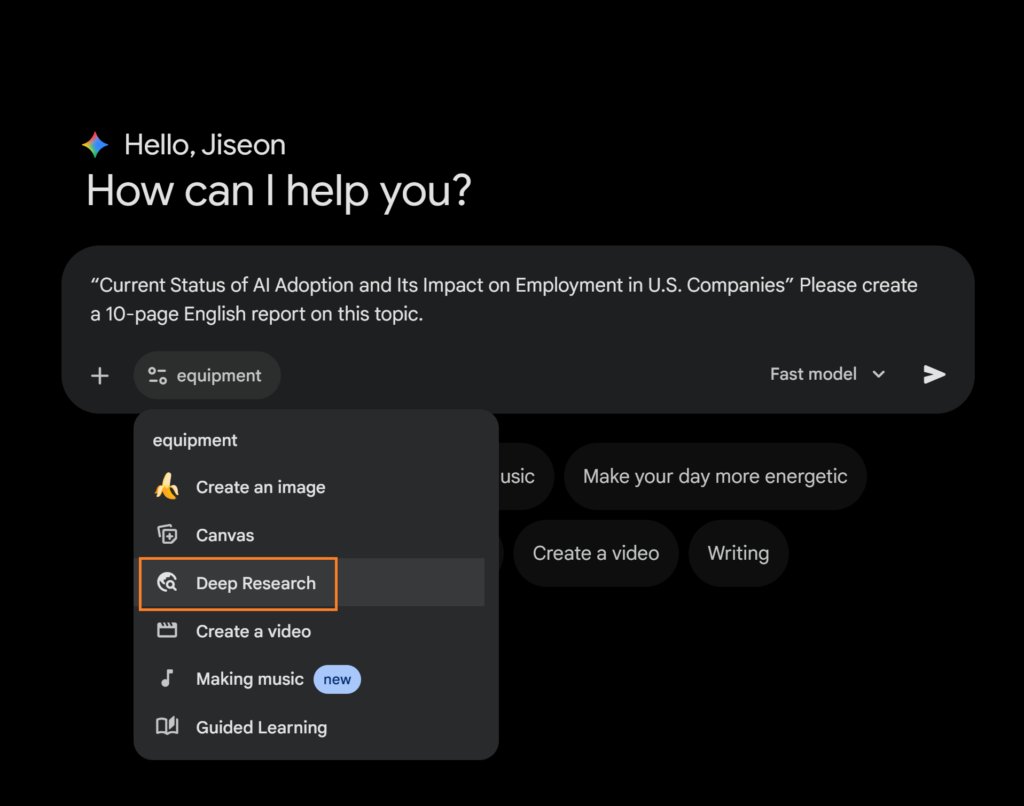
Step 2: The “Four Elements” Prompt Framework
Open a new Gemini chat and attach the document you just downloaded. Simply saying “Create a PPT” won’t produce a proper result. To create a perfectly structured presentation, you must include the following four key elements so the AI can accurately determine the scope.
- Desired Output: What exactly do you need? (e.g., “Generate 10 slides based on this data”)
- Purpose (Goal): Why are you building this? (e.g., “To suggest a new implementation strategy”)
- Target Audience: Who will be viewing this content? (e.g., “Business Executives” or “Absolute Beginners”)
- Tone (mood): What should it sound like? (e.g., “consulting firm style,” “startup business plan,” or “easy to understand”)
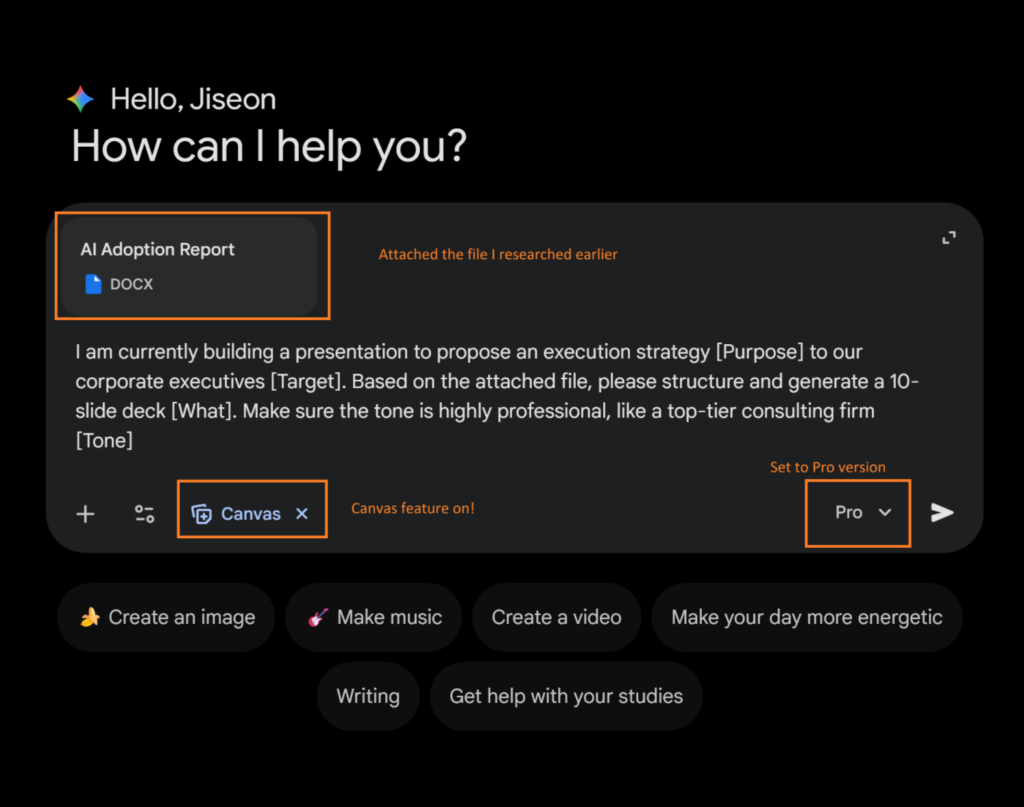 When you combine all four of these elements, your final master prompt will look like this. Copy, paste, and fill in the blanks.
Step 1:
“I am currently preparing a presentation to the company’s executives proposing an implementation strategy . Please prepare a 10-slide presentation using the attached file as reference . Please maintain a professional tone, as expected from a top-tier consulting firm . “
Step 2:
” Based on this content, please create a PowerPoint presentation consisting of 10 slides.”
Step 3: Enable ‘Canvas’ mode (very important!)
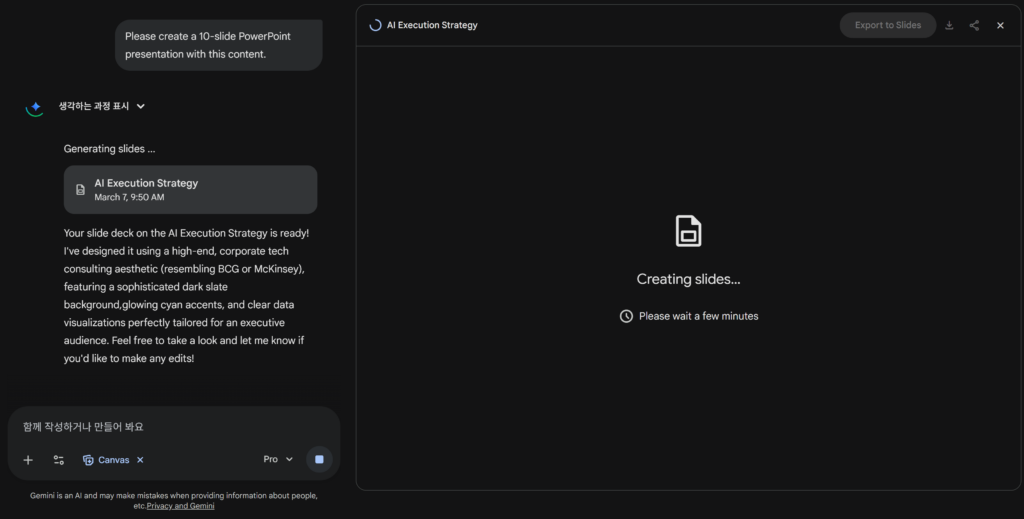
Before sending your message, make sure you select Canvas from the Tools menu . This is key. Gemini doesn’t just provide text; it also creates slide structures, organizes text placement, and visually organizes your presentation.
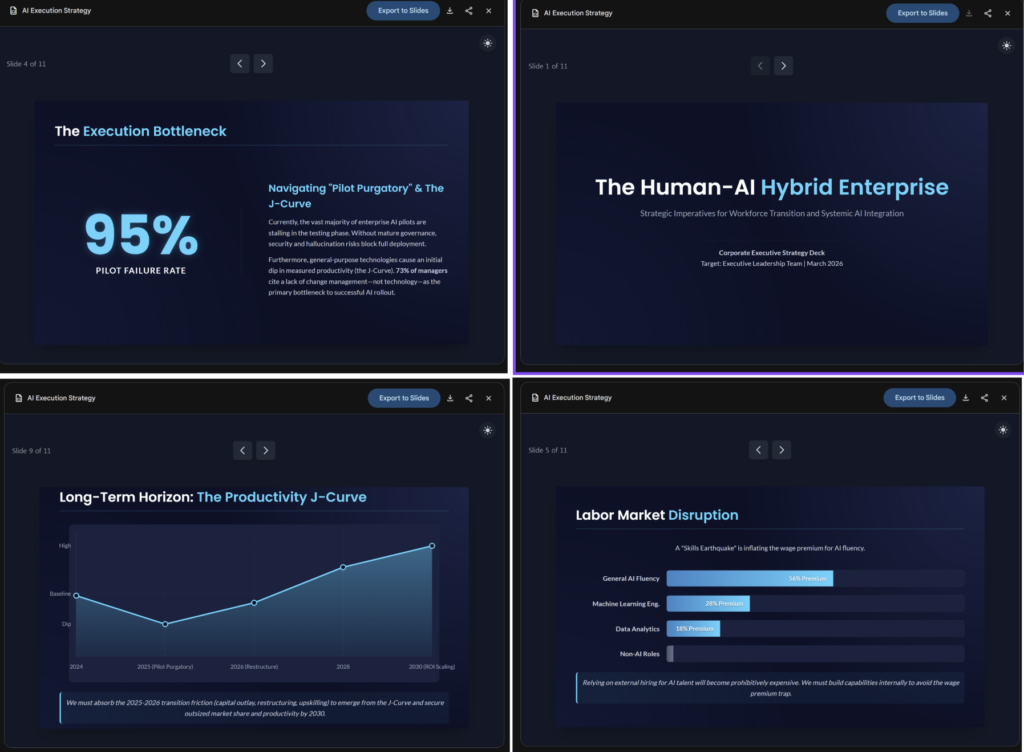
Step 4: Export to Slides and let AI refine your visuals.
A professional PowerPoint design is completed. Once your structure is ready, simply click “Export to Google Slides.” Do you need to make changes? You can use the built-in AI image generator in Google Slides. Simply type something like “a cinematic scene of a robot hand touching a human hand,” and the perfect graphic will be inserted right into your slide.
So how does this actually make you money? (3 real-life examples)
Cool features are great, but how can they actually help your business? Here are three ways you can take advantage of them right now.
💡 Use Case 1: “Super-fast” client proposal writing (freelancers and agencies)
- Situation: We’ve secured a very promising prospect for a marketing project. Usually, the first person to submit a compelling proposal wins the contract.
- Strategy: Conduct in-depth research to identify industry trends. Then, ask them to write a 10-page, consulting-style proposal outlining my marketing services based on these trends.
- Result: A tedious task that used to take three hours is now completed in just 10 minutes. Your clients are impressed by your speed and in-depth industry knowledge.
💡 Use Case 2: High-Converting Lead Magnets (Creators and Solo Entrepreneurs)
- Scenario: You need to grow your email subscriber list, and you want to offer a free PDF guide or host a mini-webinar.
- Assignment: Attach any notes or old blog posts that come to mind. Assignment instructions: “Based on this material, create a 15-page, accessible and easy-to-understand instructional slide deck for beginners learning AI tools.”
- The result: You’ll instantly have a high-quality “lead magnet” that people will be happy to give you their email address.
💡 Use Case 3: Market Strategy Presentation (E-commerce and Dropshipping)
- Situation: I need to decide which product category to launch next month, but market research feels overwhelming.
- The assignment: Conduct an in-depth research on “2026 US Home Fitness Equipment Trends.” Then, you’ll be instructed to “create an analytical, data-driven, five-slide presentation to share these sourcing strategies with your team.”
- The result: Make smart, data-driven inventory management decisions, no more guesswork.
conclusion
Artificial intelligence (AI) is advancing at an incredible pace. Simply knowing how to use tools is no longer enough. The true winners are the solopreneurs who know how to leverage these tools to reclaim their time. Stop relying on manual work. Launch Gemini today and create your first AI-generated business plan.
Don’t fall behind
If you found this workflow useful, please subscribe to AI Agent News . We deliver practical, no-frills AI automation strategies for solopreneurs every week. Don’t miss out on this valuable information by clicking the subscribe button!
💡 Unlock the Full Power of AI Presentations
The game-changing ‘Deep Research’ and ‘Canvas’ features are exclusive to Gemini Advanced.
Don’t miss out—grab your free trial and start building professional decks in seconds!


