Free AI Tool · eBay Sellers
How to Reply to Negative eBay Feedback: Don’t Let Bad Reviews Kill Your Score
🎯 Who this is for:

Picture this.
You sold an item. Packaged it carefully. Shipped it fast. The buyer receives it — and leaves you 1-star feedback.
Knowing exactly how to reply to negative eBay feedback is the difference between saving your seller reputation and losing future sales. Or worse: “Item not as described.” No message. No contact. Just a negative rating that’s now permanently attached to your seller profile — visible to every future buyer who clicks on your listing.
Your stomach drops. Your feedback score ticks down. And you have absolutely no idea how to respond without making things worse.
This happens to thousands of eBay sellers every single day. And most of them handle it wrong.
Why Your Feedback Score Is Your Business’s Lifeline
On eBay, your Feedback Score isn’t just a vanity metric. It controls everything:
of buyers check seller feedback before purchasing
A bad feedback response doesn’t just fail to fix the damage. It can actively make things worse — signaling to future buyers that you’re defensive, unprofessional, or someone they don’t want to deal with.
The 2 Responses That Destroy eBay Sellers
💢 The Angry Response
Feels incredible to write. Absolutely catastrophic to post. Future buyers see this and think:
😰 The Desperate Over-Apology
This one feels “safe” but signals panic and inexperience. It also rarely works — and future buyers lose confidence in your shop immediately.
Both responses hurt your business. Neither one protects your feedback score.
What a Professional Reply to Negative eBay Feedback Looks Like
The formula is simple: Acknowledge → Clarify calmly → Offer resolution → Stay professional

Here’s a real example. Buyer leaves this feedback:
“Item arrived damaged. Packaging was poor. Wouldn’t buy again.”
Typical seller response:
“Sorry you feel that way. Item was packaged well when it left us. Please contact me if you want a refund.”
Cold. Dismissive. Future buyers read “packaged well when it left us” as code for “not my problem.” That’s a sale you just lost.
Here’s what the AI generates instead:
“Thank you for letting us know — we’re truly sorry the item arrived damaged. That’s never the experience we want for our buyers, and we take packaging quality seriously. We’d love the opportunity to make this right for you immediately. Please reach out through eBay messages and we’ll arrange a replacement or full refund, whichever you prefer. Your satisfaction means everything to us, and we appreciate your honesty.”
Same situation. Completely different outcome. Future buyers now see a seller who takes responsibility and actually cares — and that builds trust that converts into sales.
The 5 Most Common eBay Feedback Situations (And How to Handle Each)
1. “Item not as described” 📦
The most emotionally charged — because it feels like an accusation of dishonesty. Don’t defend yourself aggressively. Acknowledge their experience, invite them to message you, and offer resolution. Let your calm professionalism speak for itself.
2. “Slow shipping / took forever” 🐢
Never blame carriers by name — it sounds like excusing yourself. Acknowledge the frustration, note that you shipped promptly (if true), and apologize for the experience. Keep it warm, not defensive.
3. “Item arrived damaged” 💔
Express genuine concern. Offer an immediate fix. Mention that you’re reviewing your packaging process. This response shows accountability — and future buyers love that.
4. “Never received / didn’t arrive” 📭
Stay empathetic. Reference that tracking is always provided. Express willingness to investigate and resolve immediately. Never publicly imply the buyer is lying, even if you suspect it.
5. The Vague 1-Star (Zero Explanation) ⭐
Keep it short and open. “We’re sorry your experience didn’t meet expectations. We’d love to understand what went wrong — please reach out directly so we can make it right.” Done. Don’t overthink it.
Stop Writing These Responses Yourself — Use AI Instead
Writing the perfect response when you’re angry, stressed, or confused is nearly impossible. Your emotions hijack your judgment. You spend 20 minutes on something that should take 30 seconds — and you still aren’t sure if it’s right.
free AI-powered Review Reply Generator that solves this completely.
Here’s what makes it different from just asking ChatGPT:
It asks you a few quick questions about the situation — the product, what happened, your tone preference — and generates 5 different professional responses you can pick from or customize. Real sellers have used it for eBay, Amazon, Etsy, Google Reviews, and even restaurant delivery apps.
It’s sold as a premium tool — but MindWired AI readers get it completely free. No email. No signup. Just click and use.
🤖 Free Review Reply Generator
Paste your negative feedback → Get 5 professional responses in seconds
Works for eBay · Amazon · Etsy · Google · Any platform FREE
Takes less than 60 seconds · Desktop & mobile
🛠️ How to Use This Free GPT Tool
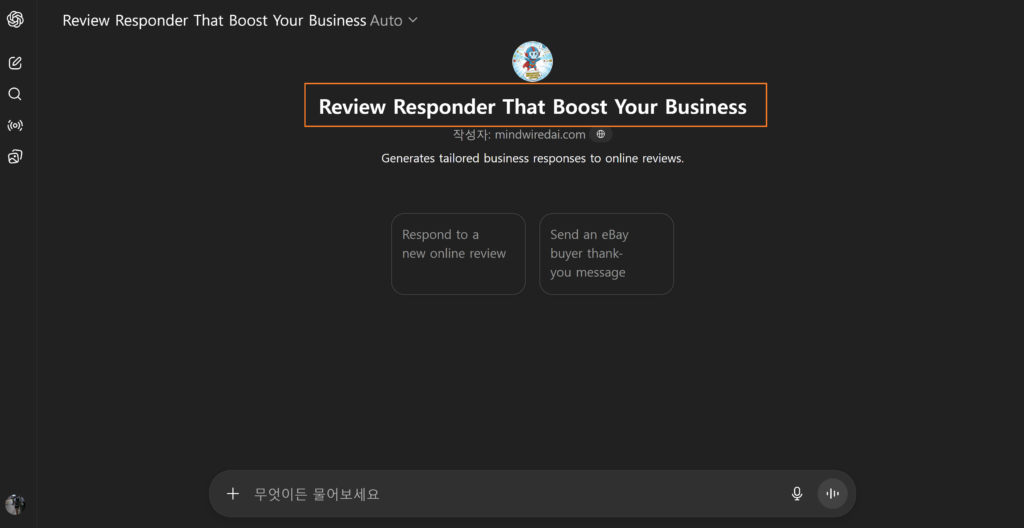
1 Access the link by clicking the button above.
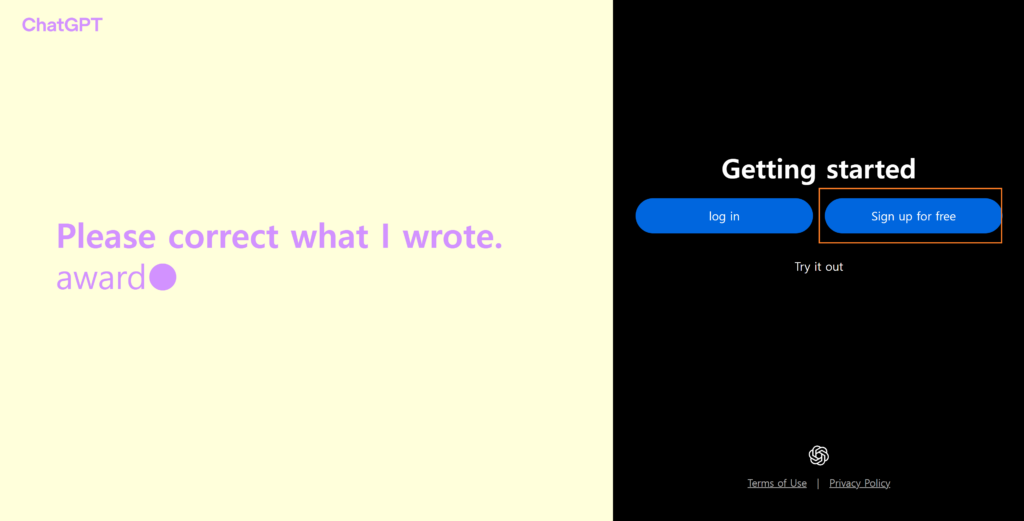
2 Sign up or log in to ChatGPT (using your Google email is the fastest).
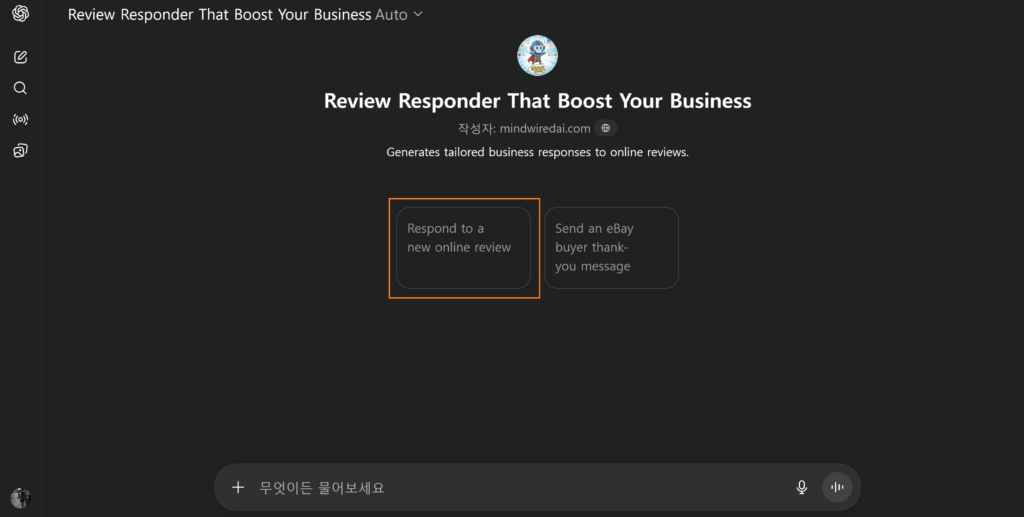
3 On the main screen, click the button on the left side.
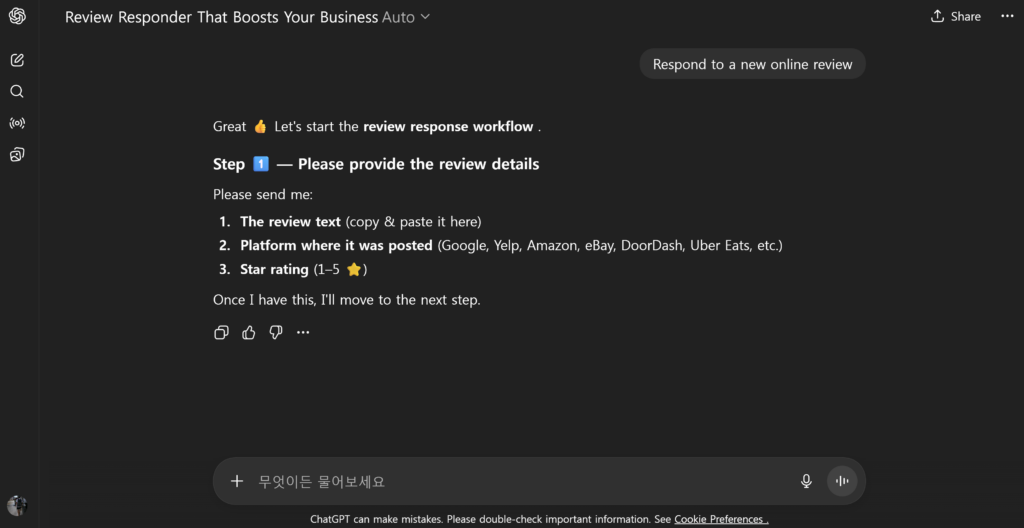
4 Answer the questions and use it completely for free!
Quick Rules Before You Hit Reply
✅ Respond within 24–48 hours — silence looks worse than a bad reply
✅ Keep it under 150 words — long responses look defensive and desperate
✅ Always offer a resolution — “please reach out” goes a long way
✅ End professionally — future buyers are always watching
❌ Never reply when emotional — wait, breathe, then use the AI tool
❌ Never publicly challenge the buyer — even if they’re 100% wrong
❌ Never mention eBay policies aggressively — it reads as threatening
The Bottom Line
Negative feedback is part of selling online. You cannot avoid it forever. But you can control how you respond to it — and that response is one of the most powerful trust signals your entire shop has.
The sellers growing their eBay businesses in 2026 aren’t the ones who never get bad feedback. They’re the ones who respond like professionals every single time — calmly, quickly, and with genuine care.
Now you have a free AI tool that does the hard part for you. No more staring at the screen. No more second-guessing. Just paste the review, answer a few questions, and pick the response that fits.
Your feedback score will thank you.
🛡️ Protect Your eBay Feedback Score
Stop letting bad reviews write themselves. Let AI write the perfect reply.
→ Try the Free Reply Generator
Free · Works instantly


