Notion Custom Agents Are Free Until May 3 — Here’s What to Try First
If you’ve been curious about AI tools but didn’t want to mess with complicated setups, this might be one of the easiest places to start. Notion’s new Custom Agents are free to try right now, and you can use them for real everyday work — not just toy demos.
What Are Notion Custom Agents? (Automating Your Workflow)
The easiest way to think about them is this: a Custom Agent is like a little helper inside your workspace that can do a repeat job for you without you having to type the same prompt over and over again.
Instead of opening a chat box every time and explaining your task from scratch, you set up an agent once, give it a job, and let it handle that kind of work on a schedule or when something happens in your workspace.
That means this is less about “ask AI a random question” and more about “please take care of this annoying repeat task for me.”
If something keeps coming up in your week — writing status updates, organizing incoming tasks, summarizing notes, answering the same internal question — that’s the kind of job a Custom Agent is meant for.
Who can use them for free right now?
This part matters, because the free access is not for every Notion user. Right now, the free window applies to Business and Enterprise plans, and that includes Business trials.
So if you’re on a personal free plan, this won’t be the same experience. But if you’re testing Notion for a team, a small business, a client workflow, or a work project, this is exactly the kind of offer worth checking before it expires.
- Best fit: small teams, startups, agencies, operations people, founders, and anyone who already organizes work inside Notion.
- Good beginner use case: people who want AI help without learning a bunch of technical tools.
- Time limit: free through May 3, 2026.
- After that: Notion says Custom Agents move to a paid credit system starting May 4, 2026.
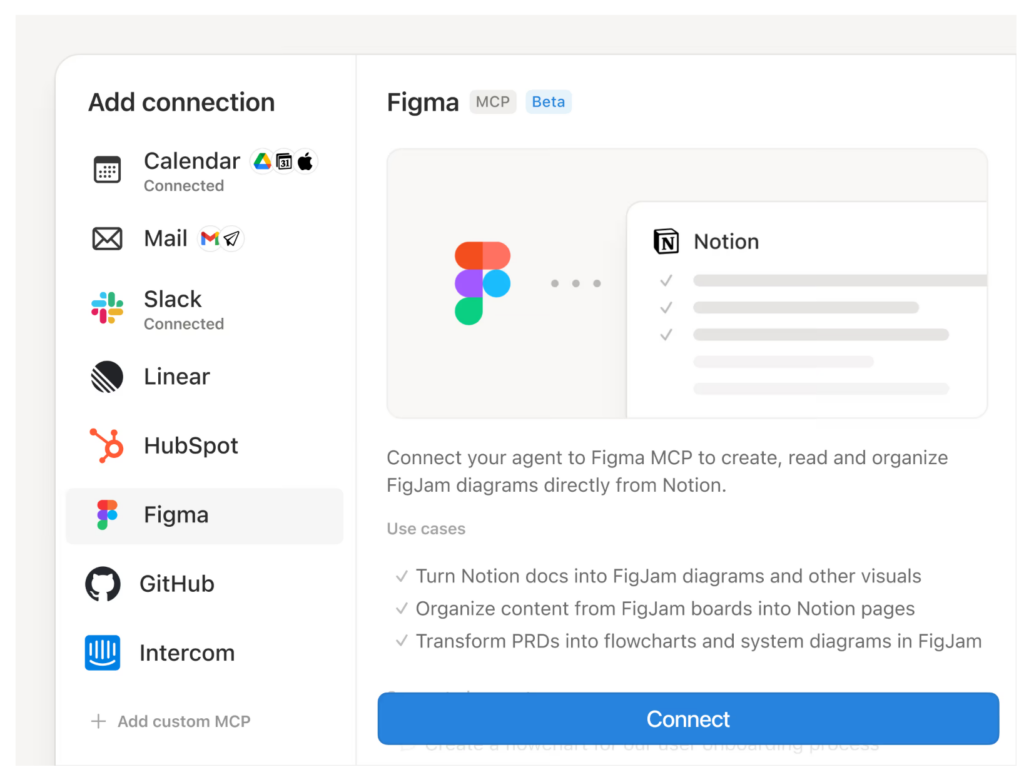
Why this free window is actually worth trying
A lot of “free AI” offers are either too limited to matter or so confusing that regular people never end up using them. This one is more interesting because it’s tied to actual workflow automation.
In other words, this is not just another chatbot tab. It’s closer to, “Can I set up a reliable helper for one small part of my work and stop thinking about it?”
That’s especially useful right now because Notion has also been improving the agent stack. They recently added MiniMax M2.5 for lower-cost basic tasks, and GPT-5.4 is now available in Notion’s model picker too. Even if you never touch the model settings, that’s still a sign the product is moving fast and worth testing while access is open.
Want the official Notion page?
Add your curtain link here and send readers straight to the trial or product page.
Best Notion Custom Agent Use Cases for Beginners
If this is your first time trying an AI workflow tool, don’t start with something huge. Pick one annoying task you already do every week and let the agent handle just that one thing.
Here are the best first tests for regular people.
1. Daily status update writer
If you keep notes in Notion, an agent can turn those notes into a clean update for your team. This is one of the easiest ways to feel the value fast.

2. Task organizer
If your to-do list gets messy, try an agent that sorts tasks by urgency, tags them, or groups them by project.

3. Internal Q&A helper
If your team keeps asking the same question, an agent can help surface answers from your workspace instead of making someone type the same reply every time.
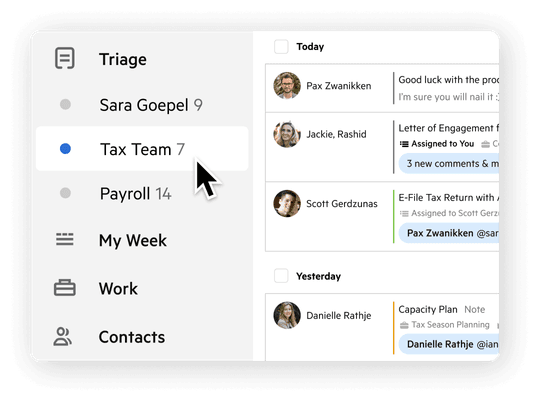
4. Inbox or request triage
If you collect requests, content ideas, or internal tickets in Notion, an agent can help sort what needs attention first.
5. Weekly notes cleanup
If your notes are always a mess, use an agent to summarize them, pull out action items, and turn them into something readable.
A super simple way to get started
If you’re the type of person who opens a new tool and immediately thinks, “Okay, but what do I actually click first?” — here’s the easy version.
- Open your Notion workspace and make sure you’re on a plan that includes access to the free Custom Agents window.
- Think of one repeat task you do at least once a week.
- Write that task in plain language, the same way you’d explain it to a helpful coworker.
- Keep the first version small. Don’t try to automate your entire life on day one.
- Test it with real notes, real tasks, or real pages from your workspace.
- Check the output and ask yourself one question: “Did this save me time?”
That last question matters most. If the answer is yes, you’ve found a real use case. If the answer is no, that’s okay too — it usually just means the task was too vague, too big, or not repetitive enough.
If I were testing this today, here’s what I’d do first
I’d skip the fancy setup and build one tiny workflow: a weekly notes cleaner.
Every week, a lot of people end up with the same problem. Their notes are scattered, their tasks are half-finished, and they can’t tell what actually matters. That’s a perfect beginner use case because the result is obvious: either the agent gives you a clean summary and action list, or it doesn’t.
Once that works, then I’d move on to something like task sorting or status updates.
Don’t start with your most important workflow. Start with a low-stakes one. You want your first test to feel easy, not stressful.
Who should probably try this?
- Small business owners who already keep projects or docs in Notion
- Operations people who spend too much time organizing updates
- Founders who want less busywork
- Teams that repeat the same internal processes every week
- Curious beginners who want an AI tool that feels practical, not flashy
Who can skip it for now?
If you don’t use Notion much, or you mostly want a simple personal AI chatbot, this may not be the best starting point. The value here comes from having actual work inside a workspace that an agent can help with.
So if your notes, docs, and tasks live somewhere else, or you’re just looking for casual AI chat, this might not click right away.
A few things to know before you jump in
- This free period is time-limited, so it makes sense to test it sooner rather than later.
- The free access applies to Business and Enterprise usage, including Business trials.
- Starting May 4, 2026, Notion says Custom Agents will use credits.
- The best use cases are repeat tasks, not random one-off experiments.
- You’ll get more value if your workspace is already somewhat organized.
Want a beginner checklist for what to test first?
Add your curtain here for a free checklist, setup guide, or downloadable worksheet.
Final thoughts
I like this kind of free offer because it’s tied to something practical. You’re not just getting access for the sake of access. You’re getting a chance to see whether AI can quietly take one repeat job off your plate.
And honestly, that’s the sweet spot for most regular people. Not building some futuristic system. Not learning a complicated stack. Just making one part of the week a little lighter.
If you already work inside Notion, this is one of those “worth testing before the free window closes” moments.
Quick recap
What it is: a new Notion feature that can handle repeat tasks inside your workspace.
Who can try it free: Business and Enterprise users, including Business trials.
Free until: May 3, 2026.
Best first test: weekly notes cleanup, status updates, or task organization.
FAQ
Do I need to know AI prompts to use this?
Not really. You do need to explain the job clearly, but you don’t need to be some advanced prompt engineer. Plain English is enough for a first test.
Is this free for personal users too?
The main Custom Agents free window is for Business and Enterprise usage, including Business trials. It’s not the same as a basic personal plan feature.
What happens after May 3?
Notion says Custom Agents move to a credit-based system starting May 4, 2026.
What’s the easiest thing to test first?
A simple notes summary or weekly update workflow. It’s easy to understand, easy to judge, and useful for almost anyone.
Editor’s note: If you’re turning this into a live post, swap the curtain placeholders with your actual click-through blocks for the official Notion trial page, your own free checklist, or a related beginner guide.
Hungry for more free AI tools?


