AI NEWS · March 25, 2026
People Were Buying $600 Mac Minis Just to Run AI Agents.
Claude Now Does It for $20/Month.
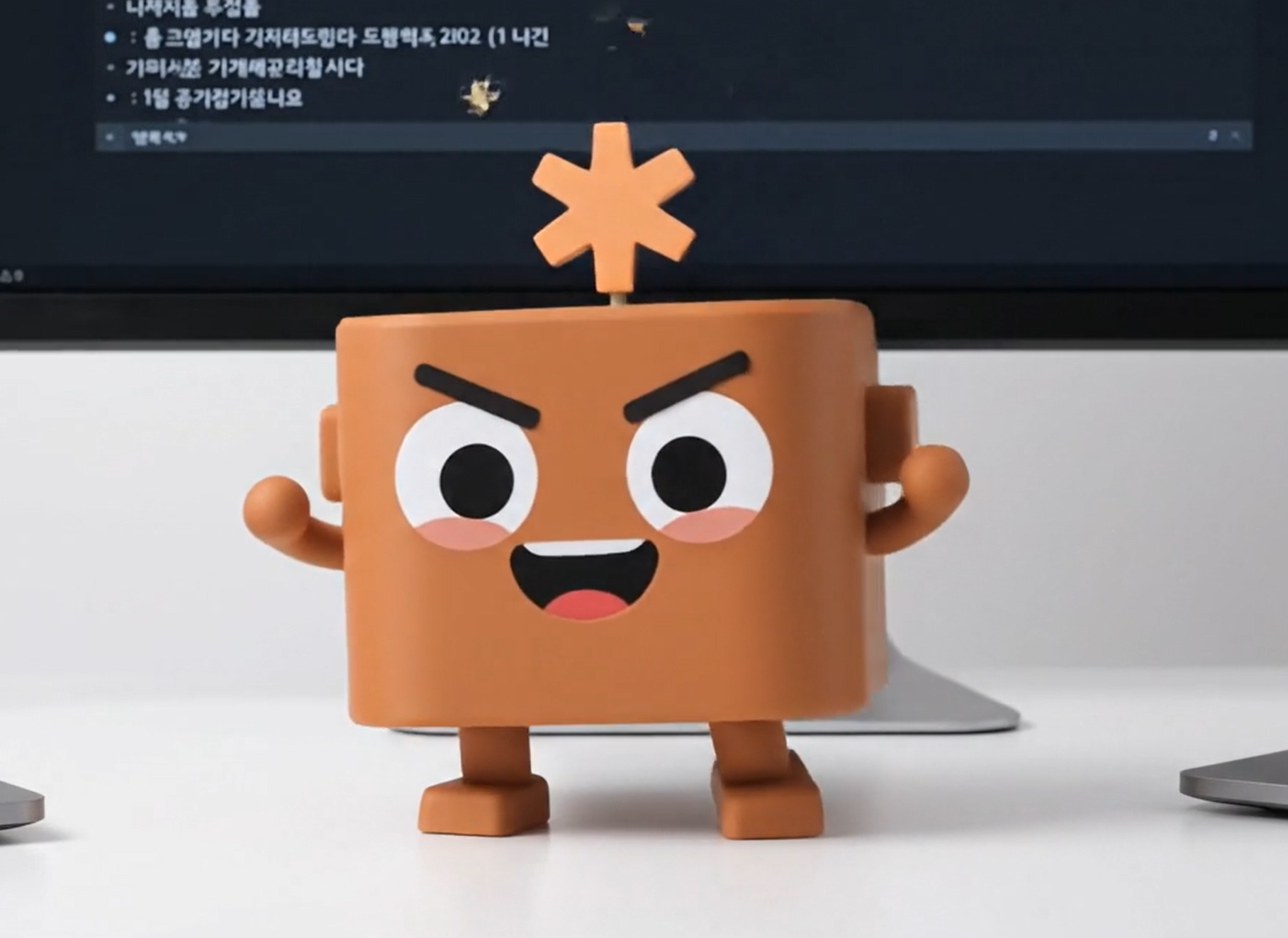
OpenClaw made Mac Minis sell out everywhere.
Now Anthropic just built the same thing right into Claude.
⚡ TL;DR
① OpenClaw went so viral that $600 Mac Minis were reselling for $700+
② Anthropic just shipped the same capability natively — Dispatch + Computer Use
③ A Claude Pro subscription ($20/mo) now lets you control your Mac from your phone
 🦞 Why Were People Panic-Buying Mac Minis?
Earlier this year, a single open-source project shook the entire AI community. It was called OpenClaw, built by one developer from Austria.
It racked up 140,000 GitHub stars. And the core idea was deceptively simple:
“Send a message to an AI from your phone. The AI uses your computer — mouse, keyboard, everything — and actually does the work.”
You’d message it through WhatsApp or Telegram. The AI would open apps, click buttons, type things, navigate browsers — all on your Mac. While you were somewhere else entirely.
What happened next was wild:
🔥 $600 Mac Minis started reselling for $700+ on secondhand markets
🔥 People were buying 10 Mac Minis to run multi-agent setups
🔥 “AI works while you sleep” became an actual thing, not a meme
The reason people lost their minds? For the first time, the dream of “AI doing your computer work while you’re away” was real. Not a demo. Not a concept video. Real.
🚀 Then Claude Just… Built It In
On March 24, 2026, Anthropic dropped a bombshell.
From Anthropic’s Official Blog
“You can assign Claude a task on your phone,
turn your attention to something else,
then open up the finished work on your computer.”
What OpenClaw did as a viral open-source hack, Anthropic just shipped as a native Claude feature. No extra hardware. No Docker. No API keys to configure.
The internet noticed immediately:
3.8M
views in 2 hours
$20/mo
Claude Pro is all you need
$0
extra hardware cost
If you already shelled out for a dedicated Mac Mini to run OpenClaw — yeah, that stings a little. 😅 But for everyone else? This is a game-changer.
 🎯 The 3 Features That Make This Wild
🖥️
FEATURE 01
Computer Use — AI Takes the Wheel
Claude can now see your screen, move the mouse, type on the keyboard, and navigate apps — just like a person would. It opens files, browses the web, fills out forms, and runs tools. All without you sitting at the desk.
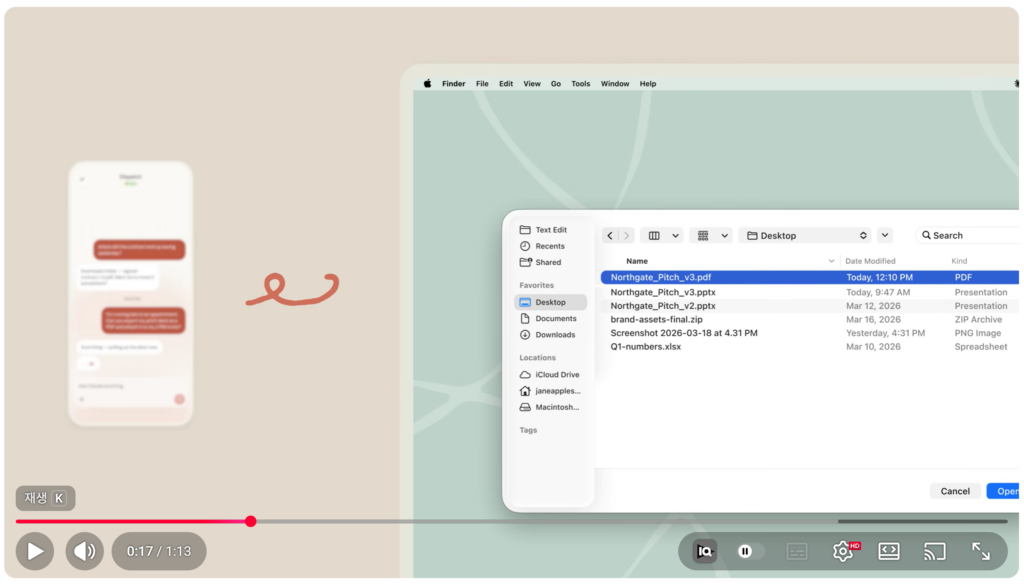
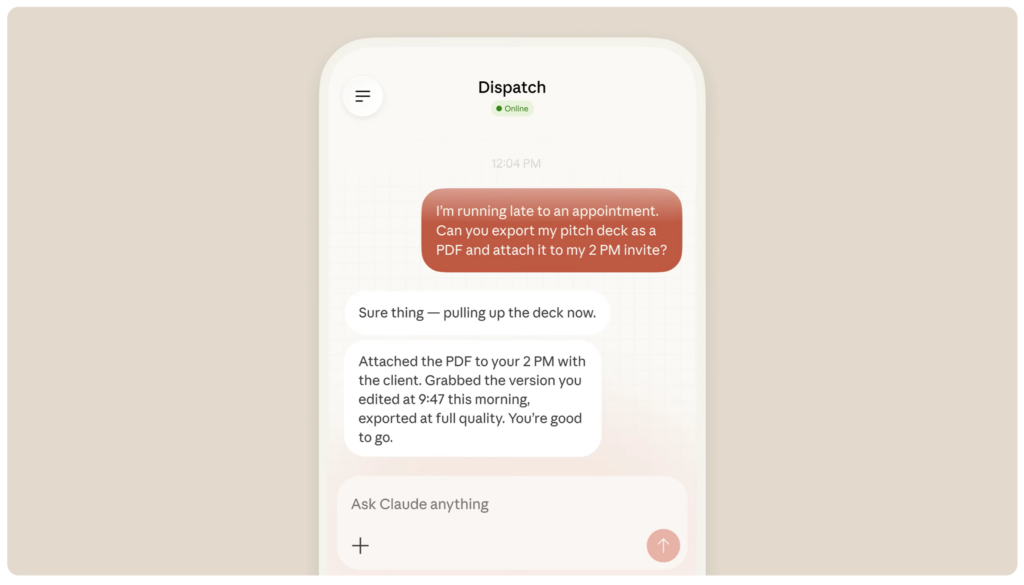
💡 Example: “I’m late for a meeting — export the pitch deck as PDF and attach it to the calendar invite.” → Claude just does it.
⚡
FEATURE 02
Claude Code — Your Pocket Engineer
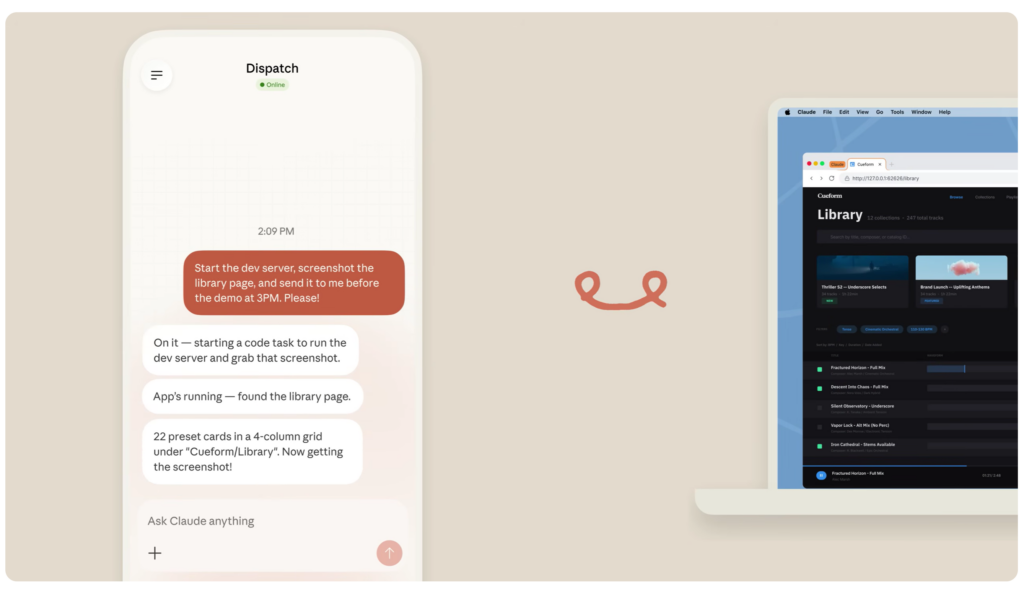
Run terminal commands, spin up servers, check if your web app is actually working — all from your phone. On the train? Fix a bug, run tests, and open a pull request before you even get to the office.
💡 Example: Text “fix the login bug” on your commute → come back to a PR waiting for review.
📦
FEATURE 03
Batch Processing — Offload the Boring Stuff
150 photos to resize? Hundreds of files to rename? Data to clean up? Hand it off to Claude and go have dinner. When you get back, it’s done.
💡 Example: “Resize every image in this folder to 1200px and add a watermark.” → Auto-complete while you eat tacos.
📱 Dispatch — The Remote Control for All of This
So how do you actually trigger these features from your phone? That’s Dispatch.
Think of it like this:
How Dispatch Works
→
☁️ Claude receives it
→
🖥️ Mac runs it
→
✅ You check results
The key insight: your phone is the remote. Your Mac is the engine. As long as your Mac is awake and Claude Desktop is running, you can fire off tasks from anywhere — the grocery store, the gym, a coffee shop, whatever.
Your existing connectors (Slack, Gmail, Google Drive) all work through Dispatch automatically. No extra setup.
✅ Can I Use This Right Now?
Here’s the checklist:
1A Mac — MacBook, Mac Mini, iMac, whatever. (macOS only for now)
2Claude Pro ($20/mo) or Max ($100/mo) subscription
3Claude Desktop app — latest version, installed and running
4Claude mobile app — latest version on your iPhone or Android
Setup takes about 2 minutes:
Step 1. Open Claude Desktop → Settings → Toggle “Computer Use” ON
Step 2. Grant macOS permissions — Accessibility + Screen Recording
Step 3. Go to the Cowork tab → Dispatch → Hit “Get Started”
Step 4. Open Claude on your phone → Sidebar → Dispatch
That’s it. You’re live.
💰 Cost Comparison — OpenClaw vs. Claude Dispatch
⚠️ What You Should Know Before Diving In
🔸 Your Mac must stay awake. If it sleeps, Claude stops. Turn on “Keep Awake” in settings.
🔸 macOS only (for now). Windows support for Computer Use isn’t here yet. Cowork does support Windows x64.
🔸 It’s a Research Preview. Not everything works perfectly. Complex multi-step tasks fail about half the time.
🔸 One thread at a time. No parallel tasks. It’s a sequential runner, not a parallel workforce.
🔸 Keep sensitive apps off-limits. Don’t give Claude access to banking, healthcare, or legal apps. Anthropic’s own recommendation.
💡 Who Should Care About This
👨💻 Solo Developers
See a bug report on your phone during breakfast. Text “fix it.” Come back to a PR. That’s the workflow now.
📊 Content Creators
Have Claude organize your assets, compile research, build briefing docs — all while you’re shooting or editing.
🏢 Startup Founders
“Summarize my Slack and email, then draft a morning briefing.” Send it before your first meeting. Done before coffee.
📸 Photographers & Designers
Batch resize, watermark, rename — the tedious file grunt work gets handled while you’re at dinner.
✍️ Dispatch Prompts You Can Steal Right Now
📱 Just text these from your phone
▸ “Merge the Excel files in my ‘Project-A’ folder and create a summary report on my Desktop”
▸ “Check my Slack messages and email, then draft a morning briefing doc”
▸ “Resize every image in Downloads to 800px and save them to a ‘resized’ folder”
▸ “Update the README, run the test suite, and if everything passes, open a PR”
🔮 What This Actually Means
OpenClaw proved the concept: AI can control your computer and do real work while you’re away.
Claude Dispatch + Computer Use proved something bigger: that concept is now a $20/month subscription feature.
It’s still early. It’s a Research Preview. Complex tasks can fail. It only works on Mac. There aren’t even push notifications yet when a task finishes.
But the direction is crystal clear.
“AI that works while you sleep”
is no longer science fiction.
It’s a toggle in your settings.
If you’re on a Mac, if you’re drowning in repetitive tasks, if you’ve ever wished you had an assistant who never sleeps — go turn on Dispatch. You might be surprised how much gets done while you’re grabbing lunch.
⭐ 100 Claude AI Tips for Local U.S. Businesses (Free Download)