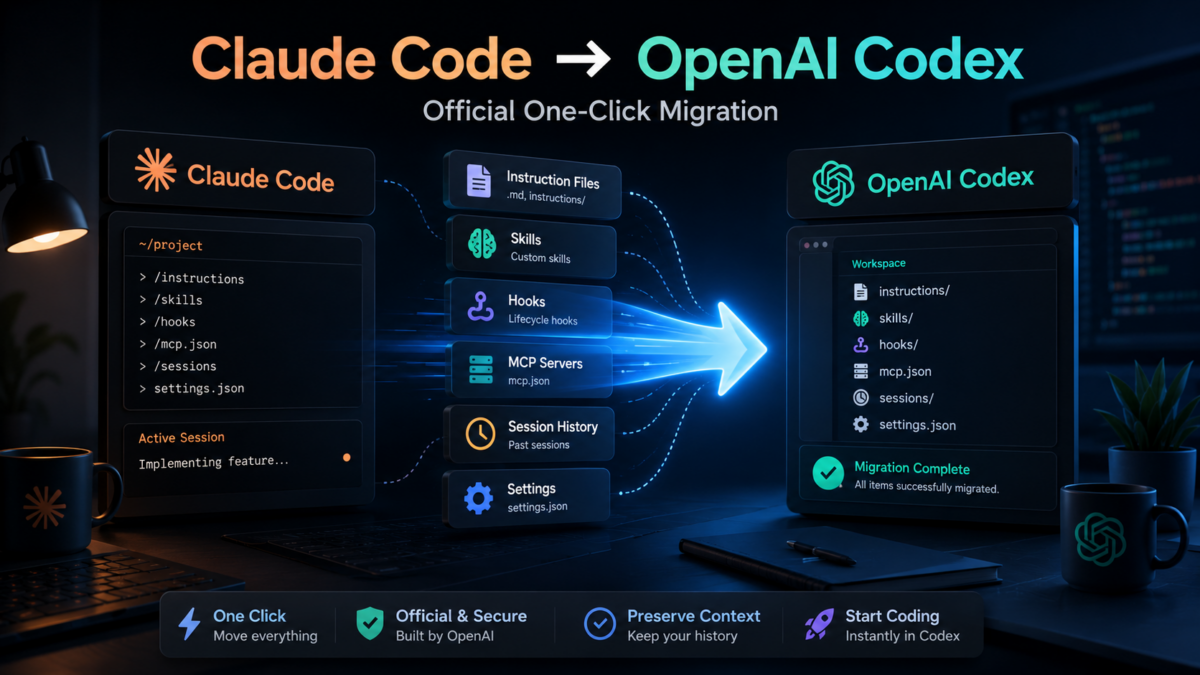
 OpenAI posted a link to a tool on their official Twitter account with the caption “Here you go” — and the promotional image said “Fewer rate limits, fewer interruptions.” The audience was obvious: Claude Code users who’ve been hitting session limits and wondering if the grass is greener.
The tool is built directly into the Codex desktop app. Open Settings, click “Import other agent setup,” and Codex scans your machine for Claude Code configurations — skills, hooks, MCP servers, subagents, instruction files, 30 days of session history — and migrates what it can automatically. For anything it can’t handle automatically, it opens a follow-up thread where an AI walks you through the remaining pieces.
Whether you want to switch permanently, run both in parallel, or just see what Codex is actually like without rebuilding from scratch — this is the practical guide to doing it without losing the setup you spent months building.
Why developers are actually considering this move
For context: Claude Opus 4.7 still leads on SWE-bench Verified at 87.6%. The benchmarks point to different strengths, not a clear winner. The more practical reason many developers are moving: session limits and rate limiting on Claude Code. Codex offers background cloud execution and parallel tasks with a ChatGPT subscription you’re probably already paying for.
What Moves in One Click — and What Doesn’t
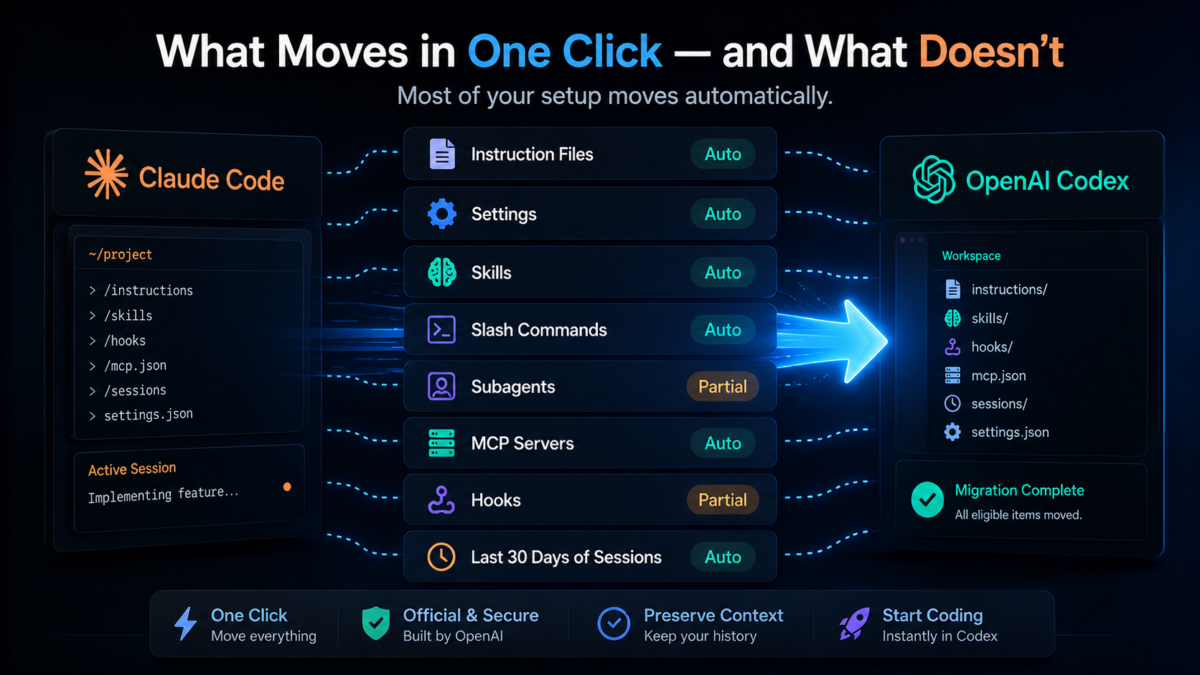
Codex checks both your user-level setup (files on your machine) and the current project (files in the repo you have open). Here’s exactly what transfers:
| Claude Code | Codex equivalent | What it is | Auto? |
|---|---|---|---|
| CLAUDE.md / instruction files | AGENTS.md | Your rules and context the AI reads before every session | ✅ |
| settings.json / config.toml | Base config files | General environment settings, themes, default behavior | ✅ |
| Skills | Codex skills | Reusable custom capabilities you built | ✅ mostly |
| Slash commands | Codex skills | Shortcut commands that trigger specific actions | ✅ |
| Subagents | Codex agents | Specialized AI assistants assigned specific jobs | ⚠️ partial |
| MCP server config | Codex MCP config | Connections to external tools (Notion, Slack, DBs) | ⚠️ partial |
| Hooks | Codex hooks | Automated triggers that run on specific conditions | ⚠️ partial |
| Last 30 days of sessions | Threads / Projects | All conversation and work history from the past month | ✅ |
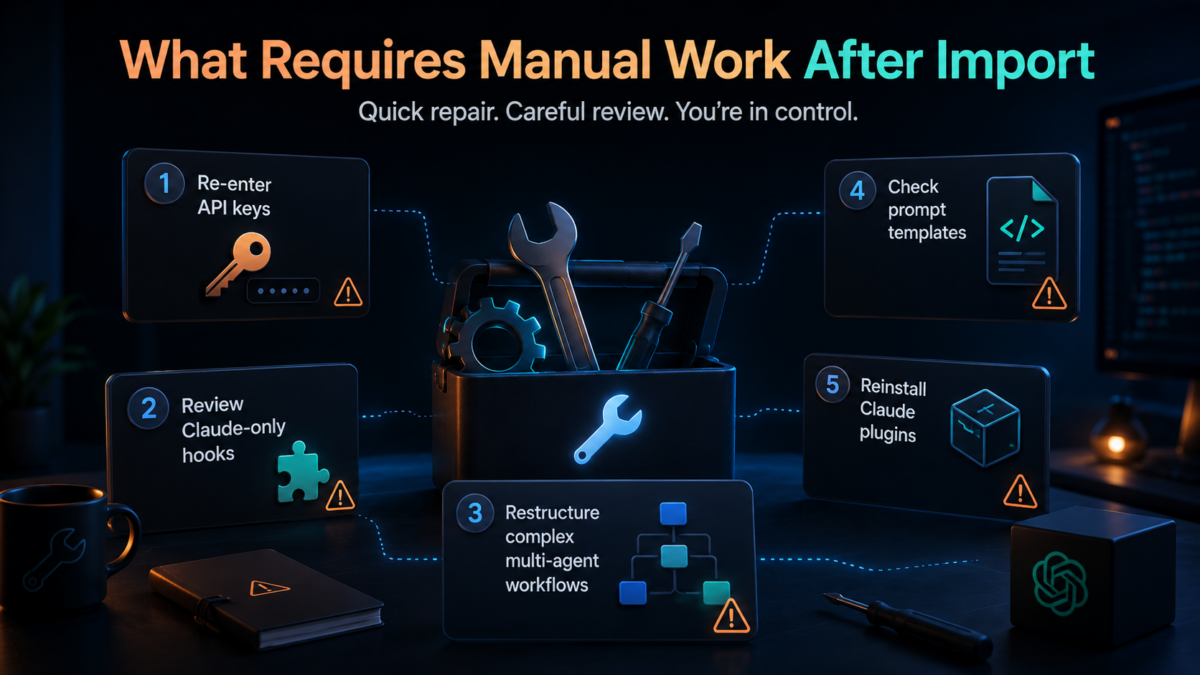
What requires manual work after import
🔧 MCP servers with custom auth/env vars — API keys and environment variables don’t transfer for security reasons. You re-enter them after import.
🔧 Hooks that use Claude-only events — some hook triggers that exist in Claude Code have no Codex equivalent. These get flagged for manual review.
🔧 Complex multi-agent orchestration — if you’ve built Claude-native multi-agent patterns, those don’t map cleanly to Codex’s agent system. This is the part that requires the most thought.
🔧 Prompt templates with shell interpolation or file-path placeholders — need review to confirm they resolve correctly in the Codex context.
🔧 Claude marketplace plugins — any plugins from Claude’s marketplace need separate reinstallation in Codex.

The Migration: Step by Step
Open the Codex app and go to Settings
Bottom-left corner of the Codex desktop app. If you don’t have Codex installed yet, download it from the ChatGPT desktop app — it’s included for Plus, Pro, Team, and Enterprise subscribers at no extra cost.
Find “Import other agent setup” in the General tab
It’s on the General page in Settings. If you’ve imported before and want to sync again, the button shows as “Import again.”
Click Import — Codex scans your machine
Codex looks through both your global user-level Claude setup and the project you currently have open. It shows you everything it found before making any changes.
Choose what to bring over
You can import everything or cherry-pick specific items from the 8-category list. Deselect anything you’d rather set up fresh in Codex from scratch.
Review the result — then fix what needs fixing
Click “View imported files” to inspect what came through. Anything Codex couldn’t auto-migrate gets surfaced — click “Continue in Codex” and an AI guides you through the remaining manual steps in a conversation.
Real-world data point: One Korean AI agency (9-person team) used a third-party migration tool and reported ~95% of settings auto-converted successfully on first try. The remaining 5% were flagged and manually adjusted in about 30 minutes.
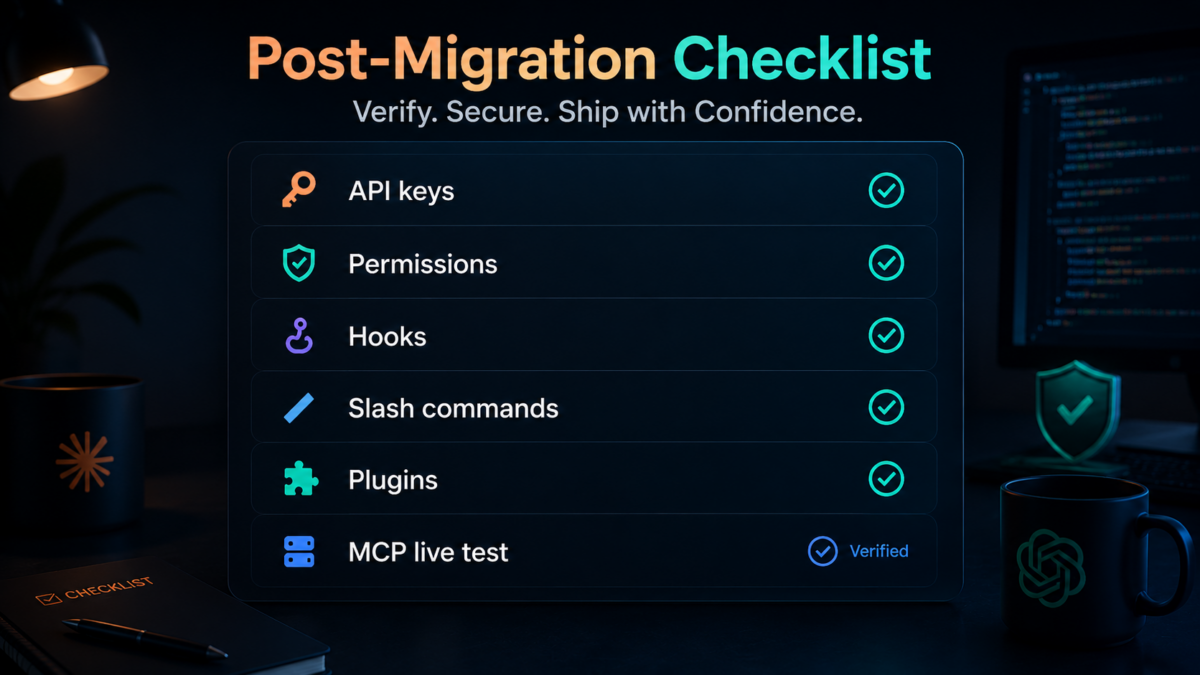
Post-Migration Checklist
Don’t trust the green checkmarks until you’ve verified these manually. The import can succeed while producing subtly wrong behavior.
🔐
Re-enter API keys and environment variables for every MCP server. These never transfer for security reasons — the import knows this and leaves them blank intentionally.
🔑
Check permissions and scope on migrated skills and agents. Tool restrictions that were implicit in Claude Code need to be explicit in Codex’s permission model.
⚡
Test every hook on a non-critical task first. Hooks that use Claude-specific event names may have been silently dropped or remapped. Don’t find out the hard way in production.
📝
Run your slash commands and verify the output matches what you expected. Special characters, file paths, and argument syntax can behave differently between environments.
🔌
Reinstall any Claude marketplace plugins manually. Plugin ecosystems are separate. Claude plugins don’t install in Codex automatically.
🔗
Verify MCP connections with a live test call. Config present doesn’t mean connection working. Open each connected tool and confirm it responds before relying on it.
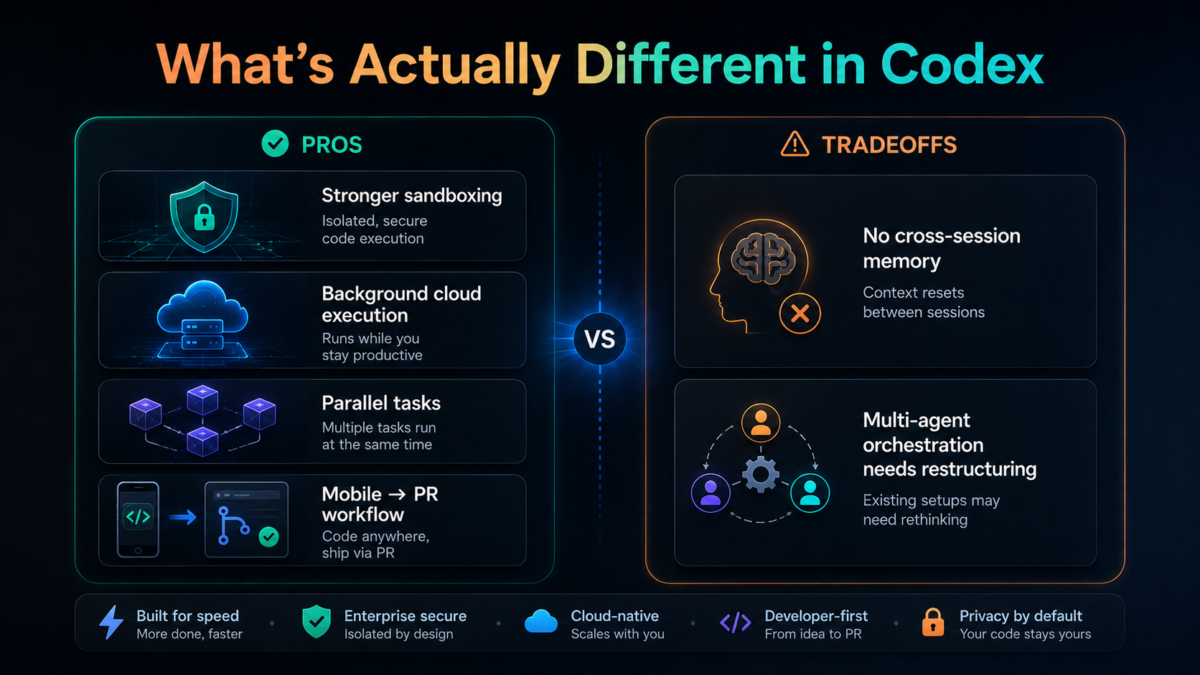
What’s Actually Different in Codex (Things Worth Knowing Before You Commit)
✅ Stronger sandboxing
Codex uses kernel-level isolation — macOS Seatbelt and Linux Landlock+seccomp. Unauthorized syscalls get blocked at the OS level before the agent can attempt them. Claude Code uses application-level hooks, which are more flexible but less bulletproof. If security is a concern, Codex wins here.
✅ Background cloud execution
Close your laptop and the task keeps running. For long-running builds, migrations, or batch operations — this changes the workflow fundamentally. Claude Code ties execution to your local machine.
✅ Parallel tasks
Queue up multiple tasks, let them all run simultaneously, check results when you’re ready. Claude Code is largely sequential. For teams handling parallel workstreams, Codex’s parallel execution is a real productivity lever.
✅ Mobile → PR workflow
Text or voice “fix this bug” from the ChatGPT mobile app. Codex fixes the code, creates the PR. This is the most recent addition and it works for async development when you’re away from your machine.
❌ No cross-session memory
Claude Code learns across sessions automatically — building context about your project, your patterns, your preferences over time. Codex doesn’t have this. Context is manual. For people who’ve built up months of Claude session memory, this is a real tradeoff worth thinking about.
❌ Multi-agent orchestration doesn’t map cleanly
If you’ve built Claude-native multi-agent workflows — complex delegation patterns, orchestrated subagents — those don’t translate 1:1. The typical Codex replacement is codex exec, multiple terminal sessions, or a different coordination pattern. Plan for restructuring, not just migration.
 The Practical Verdict: Switch, Stay, or Both?
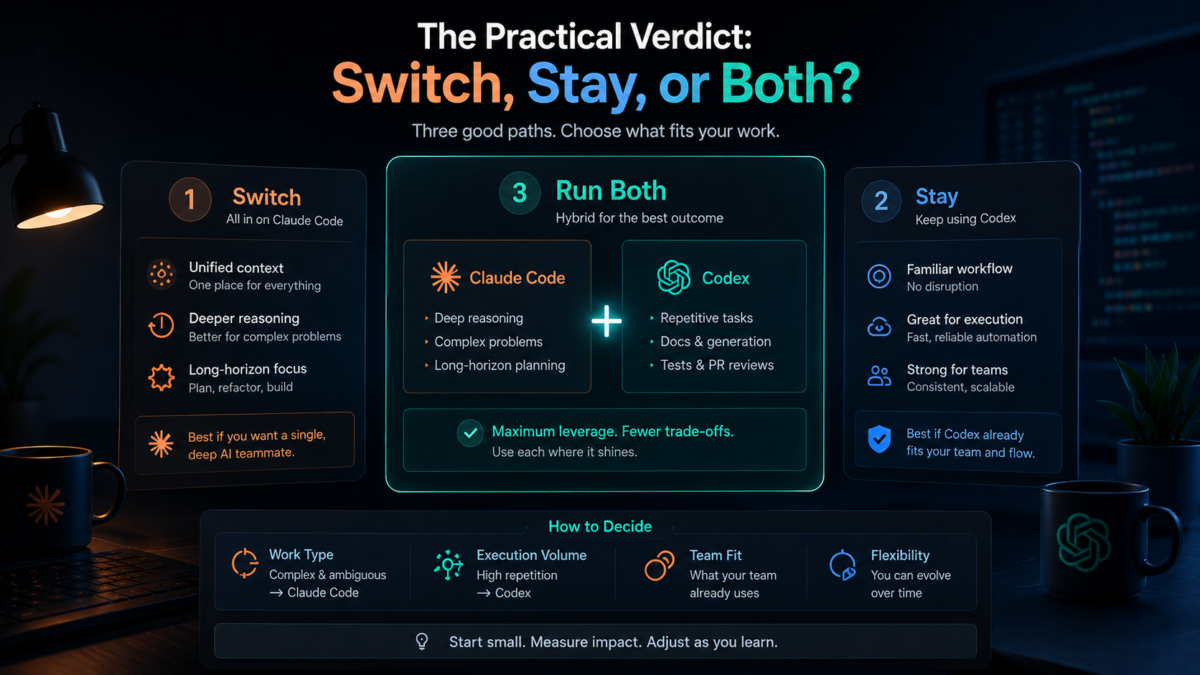 The Practical Verdict: Switch, Stay, or Both?
The Korean AI agency team mentioned above had a nuanced answer after running the migration: they kept Claude Code Max as the default for anything requiring deep reasoning or long-horizon planning. Codex picked up the short repetitive tasks — doc generation, test writing, PR reviews.
That’s probably the honest answer for most heavy Claude Code users. The migration tool makes it easy enough to run both that you don’t have to choose immediately. Import your setup, try Codex on real work for two weeks, and see where it fits.
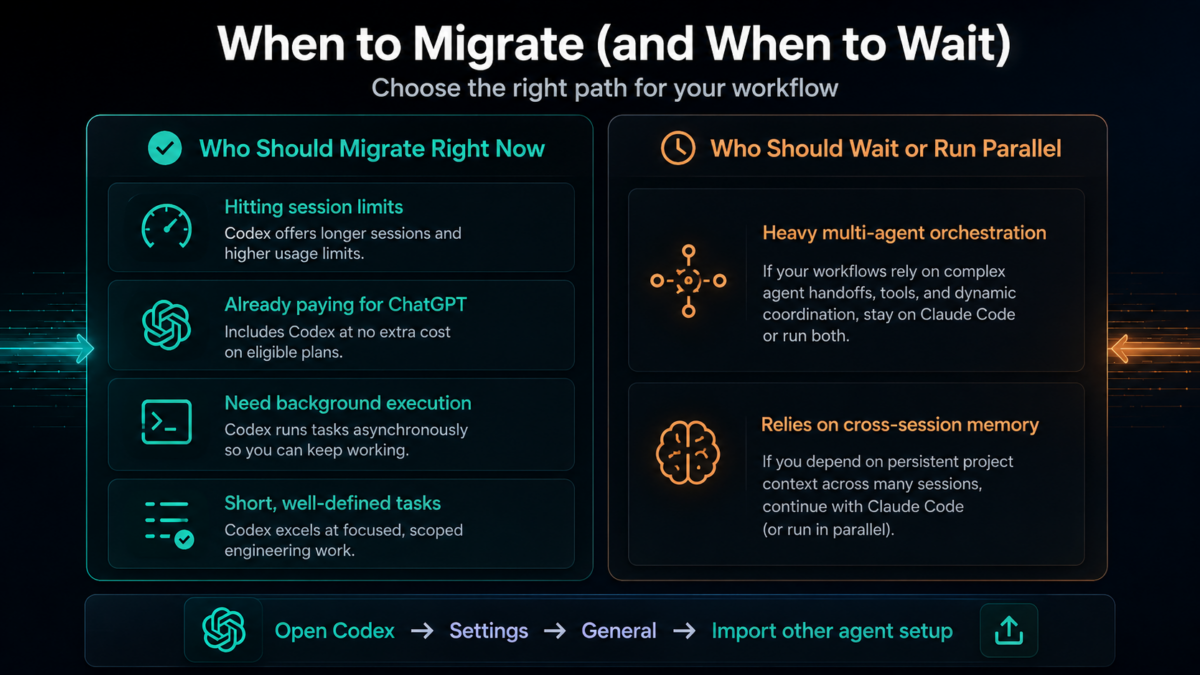
Who should migrate right now
✅ Hitting Claude Code session limits regularly — Codex’s cloud execution removes this friction entirely
✅ Already paying for ChatGPT Plus/Pro — Codex is included. You’re leaving money on the table if you’re not using it
✅ Need background execution or parallel tasks — Codex’s cloud architecture is genuinely better for this
✅ Primarily doing shorter, well-defined tasks — GPT-5.5’s agentic coding benchmark scores are strong here
Who should wait or run parallel
⚠️ Heavy multi-agent orchestration users — restructuring will take time
⚠️ Anyone who relies on Claude Code’s cross-session memory — there’s no equivalent in Codex yet
Start the Migration
Open Codex → Settings → General → “Import other agent setup”
Know a Claude Code user who’s been hitting rate limits?
The migration takes one click to start. Send them this before they rebuild from scratch manually.
Written by the MindWiredAI team. All migration details verified against OpenAI’s official Codex migration documentation (developers.openai.com/codex/migrate). GPT-5.5 Terminal-Bench 2.0 and SWE-bench figures from pasqualepillitteri.it/en/news/1862 (May 2026). Real-world migration data (95% auto-conversion, 9-person team) from dev.to/treesoop. Multi-agent and memory limitations from workflowswithai.substack.com (cc2codex author). OpenAI’s Twitter announcement confirmed by kucoin.com and phemex.com news coverage. Migration checklist items from OpenAI official docs. Kernel-level sandbox details from pasqualepillitteri.it technical analysis.


