For years, letting AI touch your Meta ads was a ban risk. Meta just made it an official feature.
A quiet beta turned Claude into something media buyers swore would get their account shut down — a hands-on manager of your live campaigns.
Ask any seasoned Facebook advertiser about automation tools and you’ll get the same flinch. For years, plugging an outside AI into your ad account was the kind of thing that got people banned. So it’s a little surreal that the most powerful version of exactly that is now shipping from Meta itself.
On April 29, 2026, Meta announced the open beta of Meta Ads AI Connectors — an official bridge that lets AI agents like Anthropic’s Claude and OpenAI’s GPT connect straight to your ad account and actually run campaign work through plain English. Not “generic advice.” Real spend, real campaigns, real catalog edits.

Why this is a bigger deal than it sounds
The headline isn’t “another AI feature.” It’s who removed which barrier. The old path to programmatic Meta access was the Marketing API — developer app, API keys, a one-to-three-day approval wait, and someone technical to wire it all up. That gate kept most small advertisers out entirely.
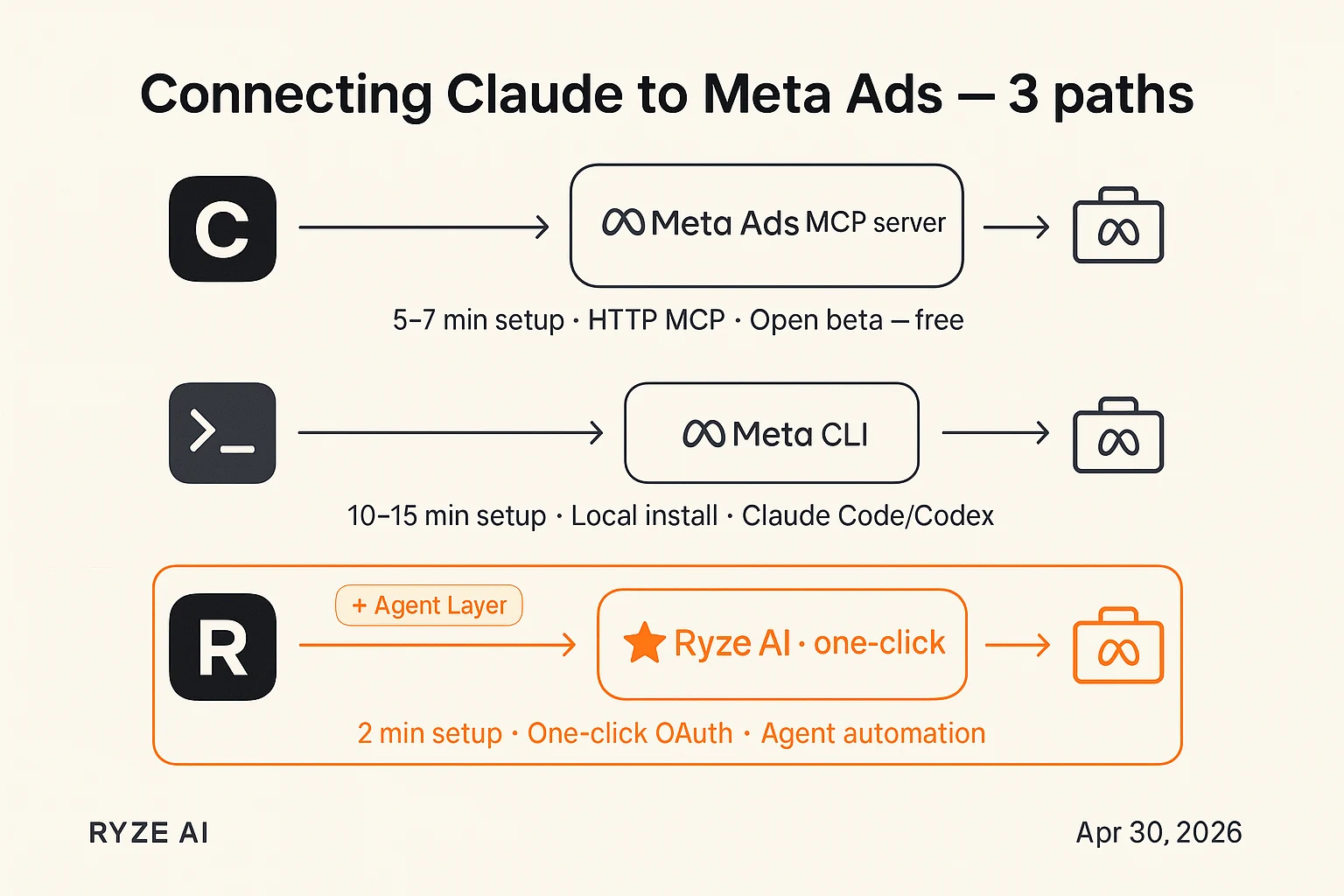
This new path skips all of it. You sign in with the same Meta Business login that Shopify and Mailchimp use, and you’re querying live campaigns in minutes. No developer app. No code, for the version most people will use.
The numbers that matter: The connector runs on Meta’s official MCP server at mcp.facebook.com/ads, exposing 29 tools across reporting, campaign management, catalog management, and signal diagnostics. It’s free during open beta, and custom connectors are available on every Claude plan — even the free tier (limited to one connector at a time).
And here’s the part that separates Meta from the pack: write access from day one. When Google and Amazon shipped their own ad MCP servers, they launched read-only — great for pulling reports, useless for taking action. Meta’s lets Claude create campaigns, adjust budgets, edit ad sets, and fix catalog feeds, not just describe them.
What it actually feels like to use
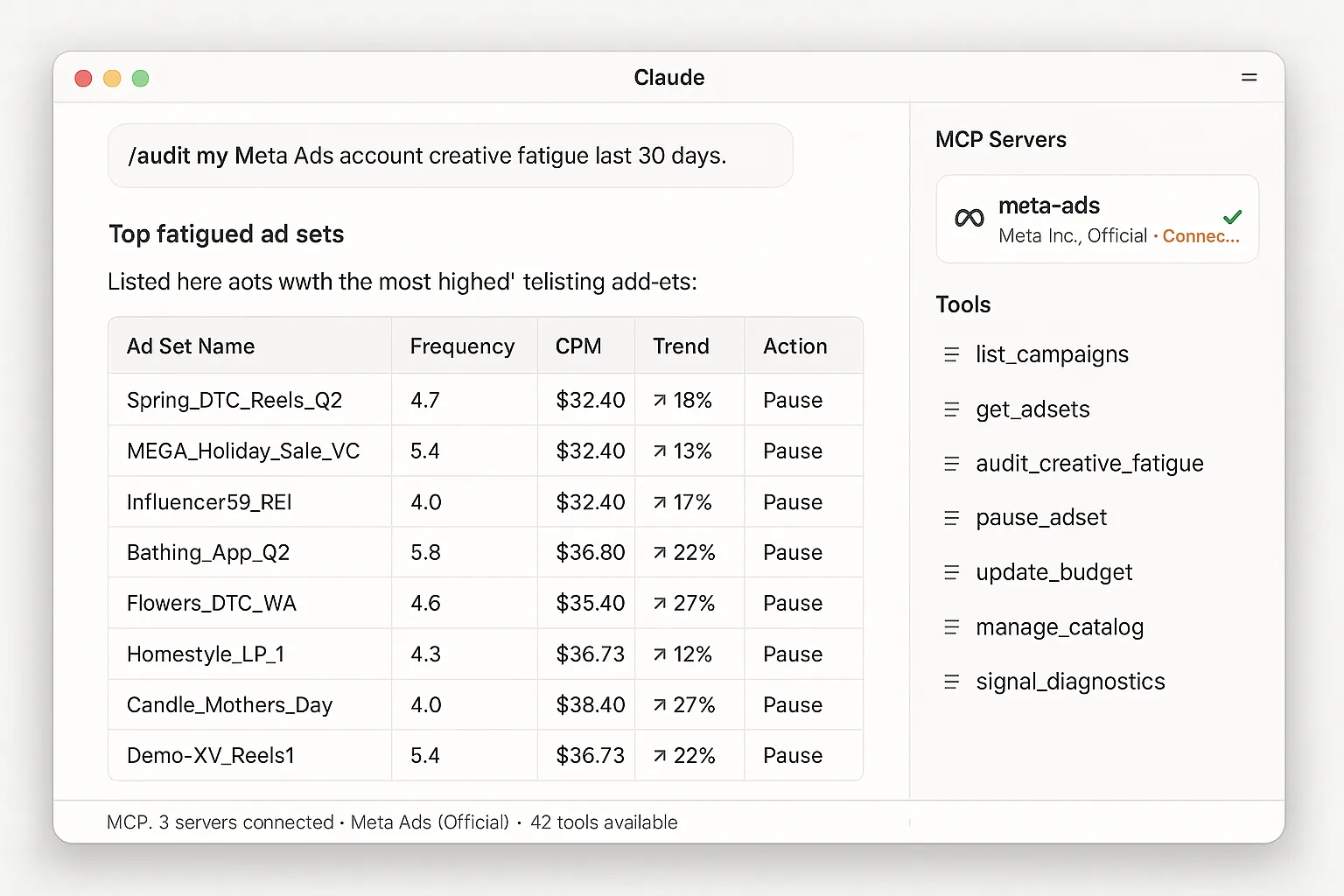
Once connected, you stop clicking through Ads Manager and start typing. Real prompts people are running on day one look like this:
“Show me my top 10 ad sets by spend last 7 days, with frequency and ROAS.” — and a clean table comes back. Or: “Pause every ad set with frequency over 4 and CPM trending up.” Or: “Audit my catalog and flag SKUs with broken images.”
The more interesting move is pairing it with a second connector. The workflow making the rounds adds an image-generation MCP — Higgsfield — alongside the Meta one. You upload a product photo, Claude analyzes the selling points and generates a batch of UGC-style ad creatives, then hands the best ones straight to the Meta connector to build the campaign. Creative and media buying in one conversation. That’s the part that turns a reporting tool into a tiny ad agency.
The honest limitations
This is a beta, and it behaves like one. A few things worth knowing before you let it loose on a real budget:
⚠️ Read this before you connect:
It’s an open beta with a rollout queue — if setup completes but no data flows, you’re just waiting your turn. New campaigns are created paused by default, which is a safety feature, not a bug. And the sharp edge: Meta’s learning phase resets when an ad set gets major changes. An over-eager agent that keeps tweaking budgets can trigger repeated resets and quietly wreck performance. Tell your agent about the learning phase, explicitly.
There’s also the elephant in the room. Plenty of advertisers have history with Meta restricting accounts over automation. Meta’s official connector presumably carries different policy standing than the gray-market tools — but the community’s caution is earned, so ease in rather than handing over the keys.
So, is this for you?
| ✅ A good fit if you… | ⚠️ Think twice if you… |
|---|---|
| Run your own small e-commerce or DTC ads and want to skip Ads Manager busywork | Manage huge budgets where a misfired edit costs real money before you notice |
| Already live in Claude and want reporting + creative + launch in one place | Have a Meta account with a shaky history you don’t want to risk in a beta |
| Want to test the agency-style workflow without hiring an agency | Need autonomous, hands-off optimization today — the official tool flags, it doesn’t auto-act |
Why it’s happening now
Meta isn’t acting alone — it’s the most consequential domino in a much bigger shift. The Model Context Protocol, the open standard Anthropic introduced in late 2024, has been spreading across ad tech all year. Google explored an ads MCP server, Amazon launched one in closed beta, Google Analytics shipped theirs. What Meta added is scale and write access at the same time, on a platform with a vast advertiser base.
Translation for anyone building a business: the operating model where one AI agent reads and edits your campaigns across Meta, Google, and Amazon just stopped being theoretical. The people who learn to direct these agents well — clear prompts, sensible guardrails — get to run lean. That’s the real story under the feature announcement.
TL;DR
Meta now has an official connector that lets Claude run your Facebook and Instagram ads in plain English — free in open beta, with real write access. Powerful, genuinely useful, and still beta-rough at the edges.
If you want to try it:
☐ Add a custom connector in Claude pointing to Meta’s MCP server · ☐ Start read-only: pull a spend-and-ROAS report before you edit anything · ☐ Tell your agent about the learning phase · ☐ Keep new campaigns paused until you’ve reviewed them · ☐ Add an image MCP only once the basics feel solid
Want the clearest AI tool breakdowns, minus the hype?
We test what’s actually worth your time and write it up plainly.